USB-C to C vs. USB-A to C: What Are the Differences?
1. What Is USB-C?
Before we dive into the specific types of cables, let’s quickly go over what USB-C is. USB-C (Universal Serial Bus Type-C) is a modern connector standard used for charging and transferring data. It’s a small, reversible, and compact port that’s capable of handling higher data transfer speeds and more power than its predecessors, such as USB-A and USB-B.
Its popularity has grown because it can be used across a variety of devices—smartphones, laptops, tablets, gaming consoles, and more. One of its standout features is its reversibility—you can plug it in either way up, unlike older USB connectors that only fit one way.
2. What Is USB-A?
USB-A (Universal Serial Bus Type-A) is the older, larger connector that many of us are familiar with. It’s the classic rectangular USB port that has been around for decades, found on computers, chargers, power banks, and many other devices. While USB-A is still widely used, it has limitations in terms of speed and power output when compared to newer standards like USB-C.
3. USB-C to C: The Modern Standard
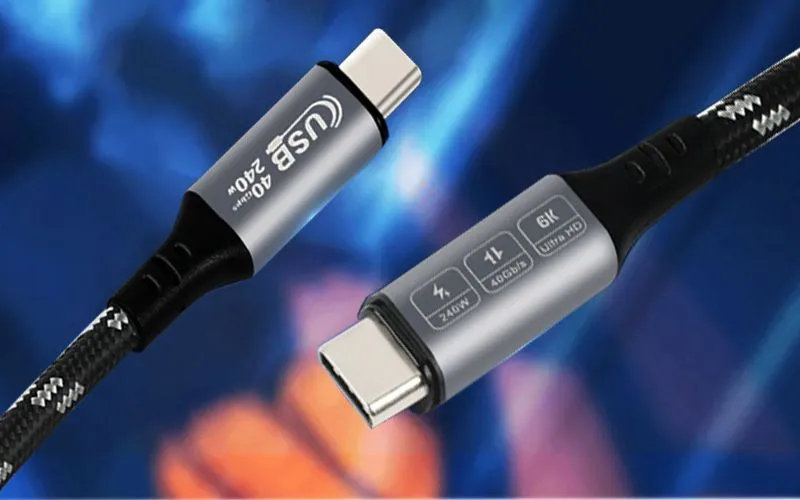
A USB-C to C cable simply means a cable with USB-C connectors on both ends. This type of cable is commonly used to connect modern devices like:
- Laptops (e.g., MacBook, Dell XPS, etc.)
- Smartphones (e.g., iPhone 15, Samsung Galaxy, etc.)
- Tablets (e.g., iPad Pro)
- Monitors and other peripherals.
The USB-C to C cable has several advantages, including:
- Higher Data Transfer Speeds: With USB 3.1 or USB 3.2 protocols, USB-C to C cables can transfer data at speeds of up to 10 Gbps or more, making them ideal for transferring large files or running high-performance devices.
- Increased Power Delivery: USB-C cables support USB Power Delivery (PD), allowing for faster charging speeds. Depending on the cable and device, USB-C to C can deliver up to 100 watts of power, which is enough to charge even high-powered laptops like the MacBook Pro.
- Universal Compatibility: With USB-C becoming the universal standard for many new devices, the USB-C to C cable is more likely to work across a variety of modern devices without the need for adapters or additional converters.

4. USB-A to C: The Classic Meets the New
A USB-A to C cable, on the other hand, features a traditional USB-A connector on one end (the larger, rectangular connector) and a USB-C connector on the other end. This type of cable is commonly used when you want to connect newer USB-C devices to older USB-A ports, which are still commonly found on desktop computers, laptops, power banks, and wall chargers.
Here’s why you might choose a USB-A to C cable:
- Wider Availability: Many older devices still use USB-A ports. If you have a charger, power bank, or computer that only has USB-A ports but want to charge or connect a USB-C device, a USB-A to C cable is a practical choice.
- Slower Data Transfer: While USB-A to C cables may still support higher speeds than traditional USB 2.0 (with USB 3.0 or 3.1 specs), they generally offer lower data transfer speeds compared to USB-C to C cables. The maximum speed can be around 5 Gbps (with USB 3.0), or 10 Gbps for USB 3.1.
- Slower Charging Speeds: USB-A ports usually provide less power compared to USB-C ports, so USB-A to C cables tend to charge devices slower. The Power Delivery (PD) feature is also limited compared to what you can achieve with a USB-C to C cable.

5. Which One Should You Choose?
Ultimately, the choice between USB-C to C and USB-A to C comes down to your specific needs and the devices you’re using.
- If you’re using modern devices that support USB-C, such as newer smartphones, laptops, or tablets, USB-C to C is the best choice for fast charging and data transfer.
- If you have older devices with USB-A ports but need to charge or connect newer USB-C devices, then USB-A to C cables will be your go-to option. However, you may experience slower charging speeds and data transfer rates.
6. Conclusion
In a world where technology is rapidly advancing, understanding the differences between USB cables and connectors is crucial. Both USB-C to C and USB-A to C cables serve distinct purposes, and choosing the right one for your needs will help you get the most out of your devices. As USB-C continues to become the standard for many new devices, investing in USB-C to C cables will likely be the most future-proof choice.