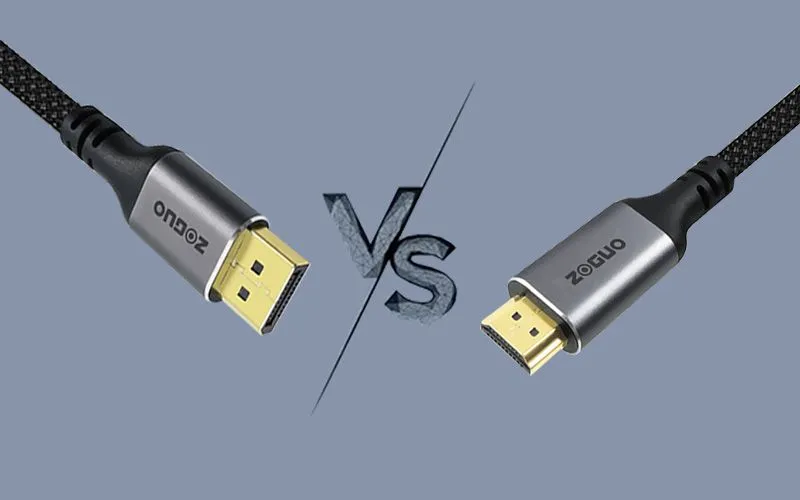
The evolution of display technology has led to the development of advanced standards like Display Port 2.1 and HDMI 2.2. These standards offer significant improvements in bandwidth, resolution, and other features, catering to the growing demands of high-definition content. This paper provides a comprehensive comparison between Display Port 2.1 and HDMI 2.2, highlighting their technical specifications, features, applications, and limitations.
Overview of Display Standards
Display Port 2.1
DisplayPort 2.1, introduced by the Video Electronics Standards Association (VESA), marks a significant upgrade over its predecessor, DisplayPort 1.4. It offers a substantial increase in bandwidth and supports higher resolutions and refresh rates.
HDMI 2.2
HDMI 2.2, developed by the HDMI Forum, is the latest version of the HDMI standard. It brings several enhancements over HDMI 2.1, including higher bandwidth, improved audio capabilities, and support for dynamic HDR.
Technical Specifications
Features and Enhancements
DisplayPort 2.1 Cable
- Multi-Stream Transport (MST): Allows multiple displays to be connected through a single port.
- Forward Error Correction (FEC): Ensures data integrity and reduces errors.
- Adaptive Sync: Provides smoother gameplay by synchronizing the display’s refresh rate with the frame rate of the content.
HDMI 2.1 Cable
- Dynamic HDR: Adjusts the HDR metadata on a scene-by-scene or frame-by-frame basis for improved picture quality.
- Auto Low Latency Mode (ALLM): Automatically switches to low latency mode for gaming.
- Quick Media Switching (QMS): Eliminates the delay that can cause blank screens before content is displayed.
Use Cases and Applications
Gaming
- Display Port 2.1: Ideal for high-end gaming setups with multiple monitors and high resolutions.
- HDMI 2.2: Suitable for gaming consoles and TVs, offering features like VRR and ALLM for a better gaming experience.
Professional Use
- Display Port 2.1 Preferred in professional environments for its support of multiple high-resolution displays and MST.
- HDMI 2.2: Used in home theater systems and professional audio-visual setups for its advanced audio and video capabilities.
Home Entertainment
- DisplayPort 2.1: Less common in home entertainment systems but useful for connecting PCs to high-resolution monitors.
- HDMI 2.2: Widely used in TVs, soundbars, and home theater systems for its comprehensive audio and video support.

Comparative Analysis
Performance
- DisplayPort 2.1: Offers higher bandwidth and supports more displays, making it suitable for complex setups.
- HDMI 2.2: Provides advanced features like dynamic HDR and eARC, enhancing the overall viewing and listening experience.
Compatibility
- DisplayPort 2.1: Compatible with a wide range of devices, including monitors, graphics cards, and docking stations.
- HDMI 2.2: More commonly found in consumer electronics like TVs, gaming consoles, and soundbars.
Future Prospects
- DisplayPort 2.1: Expected to gain more traction in professional and gaming markets as demand for higher resolutions and multiple displays increases.
- HDMI 2.2: Likely to remain the standard for home entertainment systems, with ongoing support for new audio and video technologies.
Challenges and Limitations
DisplayPort 2.1
- Adoption Rate: Slower adoption compared to HDMI 2.1 due to its focus on professional and gaming markets.
- Cable Length: Limited cable length compared to HDMI, which can affect its use in certain setups.
HDMI 2.2
- Bandwidth Limitations: The speed of 96 Gbps is already quite impressive, far exceeding the 80 Gbps speed stipulated by the Display Port 2.1 standard.
- Compatibility Issues: Some older devices may not fully support all HDMI 2.2 features, leading to potential compatibility issues.
Conclusion
Both Display Port 2.0 vs. HDMI 2.1 represent significant advancements in display technology, each catering to different needs and applications. DisplayPort 2.0 excels in professional and gaming environments with its higher bandwidth and multi-display support, while HDMI 2.1 offers comprehensive audio and video features ideal for home entertainment systems. The choice between the two will depend on specific requirements and use cases.