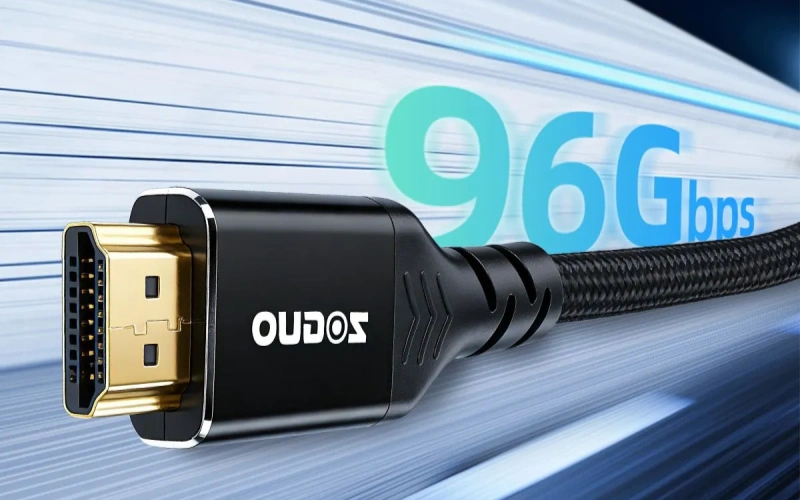
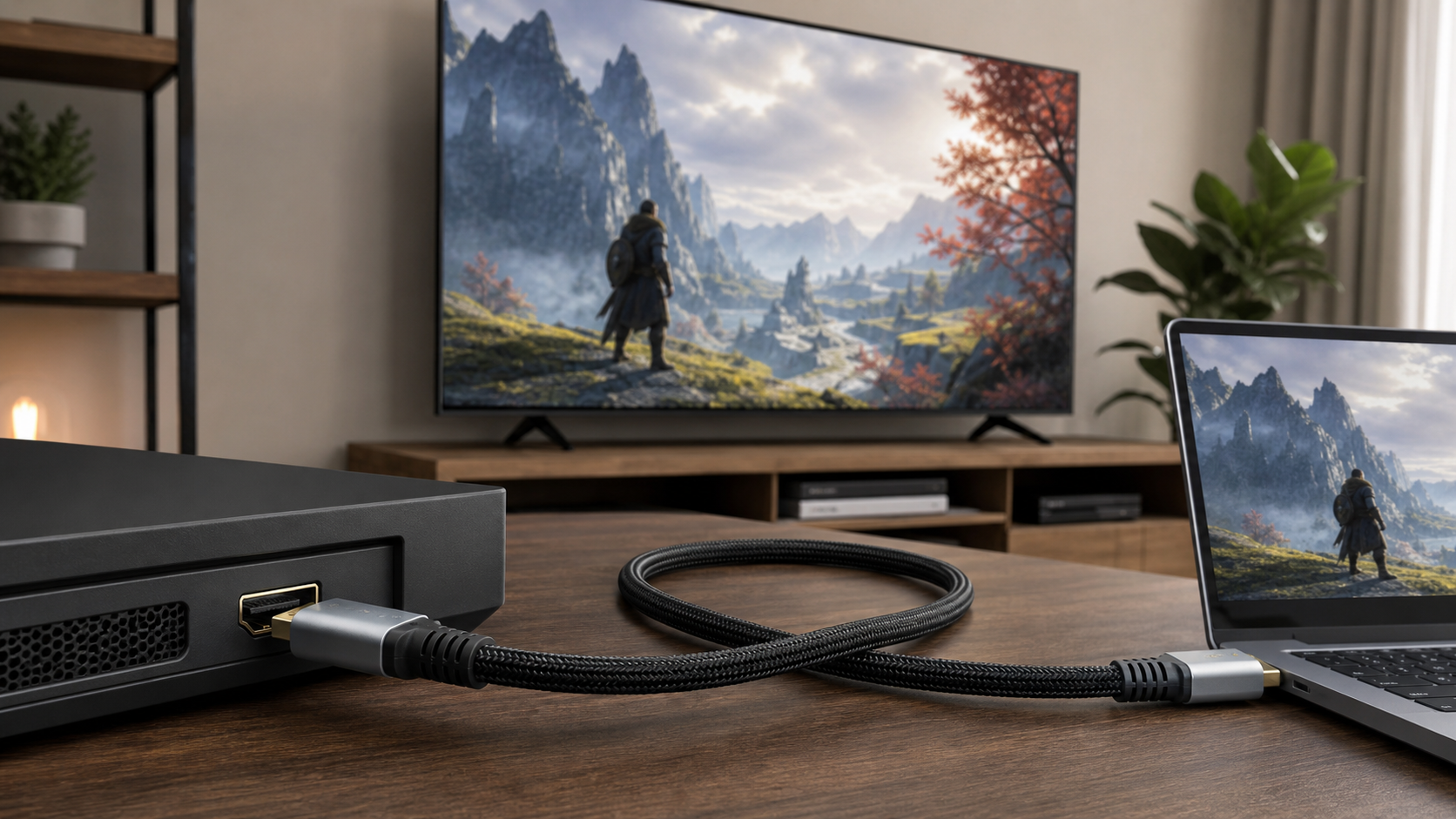
The best HDMI cable length depends on resolution, refresh rate, bandwidth requirement, cable construction, and installation environment. For many 4K home and office setups, a short passive HDMI cable is usually enough. For 8K displays, 4K 120Hz gaming, long conference-room runs, or in-wall AV systems, buyers should pay closer attention to HDMI bandwidth rating, active chipsets, fiber optic construction, and supplier testing conditions.A practical rule is simple: keep the cable as short as the layout allows, then select the cable type according to the signal you need to carry. Length alone does not define performance. A short low-grade cable can fail with 4K HDR, while a properly designed active or fiber optic HDMI cable can support much longer runs when used within its rated conditions.
Quick Recommendation by Application
| Application | Typical Signal Requirement | Practical Cable Choice | Buyer Notes |
|---|
| Standard 4K TV or monitor | 4K 30Hz or 4K 60Hz depending on device | Short passive High Speed or Premium High Speed HDMI cable | Confirm whether HDR, 4:4:4 color, or high refresh rate is required. |
| 4K gaming setup | Often 4K 60Hz, 4K 120Hz, VRR, HDR, or ALLM | Short Ultra High Speed HDMI cable for HDMI 2.1 devices | For consoles and gaming PCs, do not choose only by price or outer diameter. |
| 8K display setup | Commonly associated with 48Gbps-class HDMI 2.1 features | Ultra High Speed HDMI cable; active or fiber optic for longer runs | Request bandwidth test information and compatibility confirmation. |
| Meeting room or classroom | 4K presentation, projector, switcher, or wall plate | Active copper or fiber optic HDMI cable for long distance | Check the whole signal chain, including extenders, adapters, and wall plates. |
| Custom AV installation | Depends on display, source, switcher, and routing path | Fiber optic HDMI cable or HDMI extender solution | Confirm bend radius, conduit size, connector direction, and power requirements. |
Why HDMI Cable Length Matters
HDMI carries high-speed digital video and audio signals. As cable length increases, signal loss, electromagnetic interference, impedance inconsistency, and connector quality become more important. The result may not be a small reduction in image quality. In many cases, HDMI either works correctly or shows visible failure symptoms.Common symptoms of a cable length or bandwidth problem include black screen, intermittent flicker, missing HDR, audio dropouts, unstable 4K 120Hz output, or a display that falls back to a lower resolution or refresh rate. These issues are especially common when buyers use long passive cables for high-bandwidth gaming or 8K applications.
HDMI Cable Categories and Bandwidth
For procurement, the cable category is more useful than vague marketing terms. The official HDMI cable programs define different performance levels. According to
HDMI.org cable information, Premium High Speed HDMI Cable is associated with 18Gbps performance, while Ultra High Speed HDMI Cable is associated with up to 48Gbps and HDMI 2.1 feature support. HDMI.org also explains Ultra High Speed HDMI Cable on its
official Ultra High Speed HDMI Cable page.
| Cable Type | Common Use | Bandwidth Class | Length Consideration |
|---|
| High Speed HDMI cable | Older 1080p and some 4K applications | Depends on certified category and construction | Not the best default choice for modern 4K HDR or gaming procurement. |
| Premium High Speed HDMI cable | 4K 60Hz and HDR applications within rated conditions | 18Gbps class | Suitable for many 4K systems, but length and device compatibility still matter. |
| Ultra High Speed HDMI cable | 8K, 4K 120Hz, VRR, and other HDMI 2.1 feature use cases | 48Gbps class | Recommended for current gaming consoles, gaming PCs, and 8K-ready installations. |
| Active HDMI cable | Longer 4K or 8K runs where passive copper may be unreliable | Depends on chipset and cable design | Usually directional. Source and display ends must be installed correctly. |
| Fiber optic HDMI cable | Long-distance AV routing, signage, meeting rooms, and in-wall installations | Depends on product design and tested specification | Better for long runs, but buyers must check bend radius and connector durability. |
Recommended HDMI Cable Length for 4K
For most 4K setups, the best HDMI cable length is the shortest length that reaches comfortably without tension. Short passive HDMI cables are commonly preferred for desktops, TVs, media players, and office displays because they reduce signal-loss risk and simplify troubleshooting.
4K 30Hz and Basic 4K Playback
Basic 4K playback usually has lower bandwidth demand than 4K 60Hz HDR or gaming. A properly made short HDMI cable can often handle this application, but buyers should still avoid unverified cables when the installation is commercial, built into furniture, or difficult to replace.
4K 60Hz, HDR, and 4:4:4 Color
For 4K 60Hz with HDR or high-quality chroma formats, choose a Premium High Speed HDMI cable or better. In B2B sourcing, ask the supplier whether the cable has been tested for the target signal format and cable length, not only whether the package says “4K.”
Long 4K Runs
When 4K equipment must connect across a room, through a wall, or through a rack system, active copper or fiber optic HDMI is often more reliable than a long passive copper cable. The exact maximum length depends on cable design, source output strength, display sensitivity, connectors, and installation path.
Recommended HDMI Cable Length for 8K
For 8K setups, buyers should treat HDMI cable length more carefully because the bandwidth requirement is much higher. Ultra High Speed HDMI cables are the right starting point for 8K-related sourcing, especially when the application also involves HDR, high refresh rate, or advanced HDMI 2.1 features.Short certified Ultra High Speed HDMI cables are generally preferred for direct 8K TV, monitor, or AV receiver connections. For longer 8K routing, fiber optic HDMI cables are often used because copper signal loss becomes harder to manage. However, a fiber optic design is not automatically suitable for every 8K use case. The supplier should provide the rated resolution, refresh rate, bandwidth class, directionality, connector type, and testing conditions.
Recommended HDMI Cable Length for Gaming
Gaming setups are more sensitive to HDMI cable selection than basic video playback because they may require 4K 120Hz, variable refresh rate, HDR, low latency modes, and stable audio return features. For current gaming consoles and gaming PCs, an Ultra High Speed HDMI cable is usually the safest procurement choice when HDMI 2.1 features are required.
Console Gaming
For console gaming, keep the HDMI cable short when the console is near the TV or monitor. If the console is installed in a cabinet or equipment rack, verify that the longer cable supports the exact display mode used by the console. A cable that works at 4K 60Hz may still fail at 4K 120Hz.
Gaming PCs
Gaming PCs can push demanding combinations of resolution, refresh rate, color depth, and HDR. Buyers should confirm the GPU output, monitor input, HDMI mode, and cable rating together. If a long cable is needed for a simulator, racing rig, esports room, or showroom, test the cable with the actual hardware before bulk purchasing.
Common Gaming Cable Problems
- Screen flicker when enabling 4K 120Hz or HDR.
- Display works on the desktop but fails during games.
- VRR or ALLM options are missing from the display menu.
- Audio drops out when bandwidth-heavy video modes are selected.
- The system works with a short cable but fails after a long cable is installed.
Passive, Active, and Fiber Optic HDMI Cable Comparison
| Cable Construction | Main Advantage | Main Limitation | Best Use Case |
|---|
| Passive copper HDMI | Simple, cost-effective, no electronics inside the cable | Performance becomes harder to maintain as length and bandwidth increase | Short 4K or gaming connections near the display |
| Active copper HDMI | Can support longer runs than passive copper in many applications | Often directional and may depend on chipset quality | Medium-distance AV routing where copper is still preferred |
| Fiber optic HDMI | Better for long distance and less vulnerable to electromagnetic interference | Usually higher cost and may have stricter bend-radius requirements | Long 4K or 8K installations, signage, meeting rooms, and equipment racks |
How to Choose HDMI Cable Length for B2B Procurement
For B2B buyers, the correct cable length should be selected from the complete application, not only from a catalog. A distributor, OEM brand, systems integrator, or AV project buyer should confirm the following details before requesting a quotation.
- Target resolution and refresh rate: For example, 4K 60Hz, 4K 120Hz, or 8K 60Hz.
- HDMI feature requirements: HDR, eARC, VRR, ALLM, DSC, or CEC may affect compatibility expectations.
- Bandwidth class: Confirm whether the project needs 18Gbps-class or 48Gbps-class performance.
- Cable route: Desktop, cabinet, conduit, ceiling, wall plate, floor box, or equipment rack.
- Connector requirement: Standard HDMI, slim connector, angled connector, removable head, or custom molding.
- Installation risk: Long in-wall and commercial installations should be tested before final deployment.
- Packaging and labeling: For retail or private-label orders, confirm product naming, certification claims, barcode, and user instructions.
Testing Checklist Before Bulk Orders
Before placing a large HDMI cable order, test samples under the same conditions expected in the final application. A sample that only plays a basic video clip is not enough for a gaming, 8K, or professional AV project.

- Test the full cable length, not only a shorter version from the same series.
- Use the target source device, display, AV receiver, switcher, or capture card.
- Enable the highest intended resolution, refresh rate, HDR mode, and audio setting.
- Check whether the cable is directional, especially for active and fiber optic HDMI cables.
- Test after routing the cable through the intended path, including wall plates or adapters if they are part of the system.
- Request the supplier’s product data sheet and clarify which claims are based on certification, internal testing, or application guidance.
Typical Selection Mistakes
- Choosing by length only: A longer cable is not useful if it cannot support the required signal format.
- Assuming all HDMI 2.1 labels mean the same thing: Buyers should confirm bandwidth class and supported features.
- Ignoring the whole signal chain: Adapters, extenders, splitters, wall plates, and AV receivers can affect performance.
- Using passive copper for difficult long runs: Active or fiber optic HDMI may be more suitable for commercial installations.
- Skipping sample testing: This is risky for private-label, project-based, or in-wall cable orders.
What to Ask an HDMI Cable Supplier
A reliable inquiry should include the intended application, cable length, signal requirement, connector type, and order purpose. For OEM or wholesale sourcing, buyers can ask the supplier to confirm the following points before quotation.
- Which HDMI cable category does this product target?
- What resolution, refresh rate, and bandwidth class is this length designed to support?
- Is the cable passive, active copper, or fiber optic?
- Is the cable directional?
- What devices or test conditions were used to verify the performance claim?
- Can the supplier provide a data sheet, packaging artwork template, or sample for testing?
- Are there special installation requirements such as bend radius, connector protection, or power limitations?
Summary
The best HDMI cable length for 4K, 8K, and gaming setups is the shortest practical length that supports the required bandwidth and installation conditions. For standard 4K connections, short Premium High Speed or better HDMI cables are often suitable. For 8K and 4K 120Hz gaming, Ultra High Speed HDMI cables are the safer starting point. For longer AV runs, active copper or fiber optic HDMI cables should be evaluated with real devices before bulk purchasing.For sourcing projects, do not rely only on generic labels such as “4K cable,” “8K cable,” or “gaming cable.” Confirm the cable category, bandwidth class, length, construction, directionality, and test conditions. If the project involves private labeling, AV installation, or high-value displays, request samples and technical documentation before finalizing the order.
FAQ
What is the best HDMI cable length for 4K?
The best HDMI cable length for 4K is the shortest length that reaches the devices without tension. For 4K 60Hz or HDR, buyers should choose a Premium High Speed HDMI cable or better and verify the cable at the required length.
What is the best HDMI cable length for 8K?
For 8K, short Ultra High Speed HDMI cables are preferred for direct connections. For longer 8K installations, active or fiber optic HDMI cables are often considered, but the exact length should be confirmed through supplier specifications and sample testing.
Do gaming setups need a special HDMI cable?
Gaming setups may need an Ultra High Speed HDMI cable when using 4K 120Hz, VRR, HDR, or other HDMI 2.1 features. A basic HDMI cable may work for lower settings but fail when high-bandwidth modes are enabled.
Is fiber optic HDMI better than copper HDMI?
Fiber optic HDMI is often better for long-distance runs and environments with electromagnetic interference. Copper HDMI can still be suitable for short connections and cost-sensitive applications. The better choice depends on signal requirement, distance, routing path, and budget.
Can an HDMI cable be too long?
Yes. If an HDMI cable is too long for its construction and signal requirement, it may cause black screen, flicker, audio dropouts, or missing display features. Long runs should be tested with the actual source and display devices.
What should B2B buyers confirm before ordering HDMI cables?
B2B buyers should confirm cable category, bandwidth class, target resolution and refresh rate, cable length, construction type, connector design, directionality, packaging needs, and sample testing conditions before bulk ordering.
The best HDMI cable length depends on resolution, refresh rate, bandwidth requirement, cable construction, and installation environment. For many 4K home and office setups, a short passive HDMI cable is usually enough. For 8K displays, 4K 120Hz gaming, long conference-room runs, or in-wall AV systems, buyers should pay closer attention to HDMI bandwidth rating, active chipsets, fiber optic construction, and supplier testing conditions.
A practical rule is simple: keep the cable as short as the layout allows, then select the cable type according to the signal you need to carry. Length alone does not define performance. A short low-grade cable can fail with 4K HDR, while a properly designed active or fiber optic HDMI cable can support much longer runs when used within its rated conditions.
Quick Recommendation by Application
| Application | Typical Signal Requirement | Practical Cable Choice | Buyer Notes |
|---|
| Standard 4K TV or monitor | 4K 30Hz or 4K 60Hz depending on device | Short passive High Speed or Premium High Speed HDMI cable | Confirm whether HDR, 4:4:4 color, or high refresh rate is required. |
| 4K gaming setup | Often 4K 60Hz, 4K 120Hz, VRR, HDR, or ALLM | Short Ultra High Speed HDMI cable for HDMI 2.1 devices | For consoles and gaming PCs, do not choose only by price or outer diameter. |
| 8K display setup | Commonly associated with 48Gbps-class HDMI 2.1 features | Ultra High Speed HDMI cable; active or fiber optic for longer runs | Request bandwidth test information and compatibility confirmation. |
| Meeting room or classroom | 4K presentation, projector, switcher, or wall plate | Active copper or fiber optic HDMI cable for long distance | Check the whole signal chain, including extenders, adapters, and wall plates. |
| Custom AV installation | Depends on display, source, switcher, and routing path | Fiber optic HDMI cable or HDMI extender solution | Confirm bend radius, conduit size, connector direction, and power requirements. |
Why HDMI Cable Length Matters
HDMI carries high-speed digital video and audio signals. As cable length increases, signal loss, electromagnetic interference, impedance inconsistency, and connector quality become more important. The result may not be a small reduction in image quality. In many cases, HDMI either works correctly or shows visible failure symptoms.
Common symptoms of a cable length or bandwidth problem include black screen, intermittent flicker, missing HDR, audio dropouts, unstable 4K 120Hz output, or a display that falls back to a lower resolution or refresh rate. These issues are especially common when buyers use long passive cables for high-bandwidth gaming or 8K applications.
HDMI Cable Categories and Bandwidth
For procurement, the cable category is more useful than vague marketing terms. The official HDMI cable programs define different performance levels. According to HDMI.org cable information, Premium High Speed HDMI Cable is associated with 18Gbps performance, while Ultra High Speed HDMI Cable is associated with up to 48Gbps and HDMI 2.1 feature support. HDMI.org also explains Ultra High Speed HDMI Cable on its official Ultra High Speed HDMI Cable page.
| Cable Type | Common Use | Bandwidth Class | Length Consideration |
|---|
| High Speed HDMI cable | Older 1080p and some 4K applications | Depends on certified category and construction | Not the best default choice for modern 4K HDR or gaming procurement. |
| Premium High Speed HDMI cable | 4K 60Hz and HDR applications within rated conditions | 18Gbps class | Suitable for many 4K systems, but length and device compatibility still matter. |
| Ultra High Speed HDMI cable | 8K, 4K 120Hz, VRR, and other HDMI 2.1 feature use cases | 48Gbps class | Recommended for current gaming consoles, gaming PCs, and 8K-ready installations. |
| Active HDMI cable | Longer 4K or 8K runs where passive copper may be unreliable | Depends on chipset and cable design | Usually directional. Source and display ends must be installed correctly. |
| Fiber optic HDMI cable | Long-distance AV routing, signage, meeting rooms, and in-wall installations | Depends on product design and tested specification | Better for long runs, but buyers must check bend radius and connector durability. |
Recommended HDMI Cable Length for 4K
For most 4K setups, the best HDMI cable length is the shortest length that reaches comfortably without tension. Short passive HDMI cables are commonly preferred for desktops, TVs, media players, and office displays because they reduce signal-loss risk and simplify troubleshooting.
4K 30Hz and Basic 4K Playback
Basic 4K playback usually has lower bandwidth demand than 4K 60Hz HDR or gaming. A properly made short HDMI cable can often handle this application, but buyers should still avoid unverified cables when the installation is commercial, built into furniture, or difficult to replace.
4K 60Hz, HDR, and 4:4:4 Color
For 4K 60Hz with HDR or high-quality chroma formats, choose a Premium High Speed HDMI cable or better. In B2B sourcing, ask the supplier whether the cable has been tested for the target signal format and cable length, not only whether the package says “4K.”
Long 4K Runs
When 4K equipment must connect across a room, through a wall, or through a rack system, active copper or fiber optic HDMI is often more reliable than a long passive copper cable. The exact maximum length depends on cable design, source output strength, display sensitivity, connectors, and installation path.
Recommended HDMI Cable Length for 8K
For 8K setups, buyers should treat HDMI cable length more carefully because the bandwidth requirement is much higher. Ultra High Speed HDMI cables are the right starting point for 8K-related sourcing, especially when the application also involves HDR, high refresh rate, or advanced HDMI 2.1 features.
Short certified Ultra High Speed HDMI cables are generally preferred for direct 8K TV, monitor, or AV receiver connections. For longer 8K routing, fiber optic HDMI cables are often used because copper signal loss becomes harder to manage. However, a fiber optic design is not automatically suitable for every 8K use case. The supplier should provide the rated resolution, refresh rate, bandwidth class, directionality, connector type, and testing conditions.
Recommended HDMI Cable Length for Gaming
Gaming setups are more sensitive to HDMI cable selection than basic video playback because they may require 4K 120Hz, variable refresh rate, HDR, low latency modes, and stable audio return features. For current gaming consoles and gaming PCs, an Ultra High Speed HDMI cable is usually the safest procurement choice when HDMI 2.1 features are required.
Console Gaming
For console gaming, keep the HDMI cable short when the console is near the TV or monitor. If the console is installed in a cabinet or equipment rack, verify that the longer cable supports the exact display mode used by the console. A cable that works at 4K 60Hz may still fail at 4K 120Hz.
Gaming PCs
Gaming PCs can push demanding combinations of resolution, refresh rate, color depth, and HDR. Buyers should confirm the GPU output, monitor input, HDMI mode, and cable rating together. If a long cable is needed for a simulator, racing rig, esports room, or showroom, test the cable with the actual hardware before bulk purchasing.
Common Gaming Cable Problems
- Screen flicker when enabling 4K 120Hz or HDR.
- Display works on the desktop but fails during games.
- VRR or ALLM options are missing from the display menu.
- Audio drops out when bandwidth-heavy video modes are selected.
- The system works with a short cable but fails after a long cable is installed.
Passive, Active, and Fiber Optic HDMI Cable Comparison
| Cable Construction | Main Advantage | Main Limitation | Best Use Case |
|---|
| Passive copper HDMI | Simple, cost-effective, no electronics inside the cable | Performance becomes harder to maintain as length and bandwidth increase | Short 4K or gaming connections near the display |
| Active copper HDMI | Can support longer runs than passive copper in many applications | Often directional and may depend on chipset quality | Medium-distance AV routing where copper is still preferred |
| Fiber optic HDMI | Better for long distance and less vulnerable to electromagnetic interference | Usually higher cost and may have stricter bend-radius requirements | Long 4K or 8K installations, signage, meeting rooms, and equipment racks |
How to Choose HDMI Cable Length for B2B Procurement
For B2B buyers, the correct cable length should be selected from the complete application, not only from a catalog. A distributor, OEM brand, systems integrator, or AV project buyer should confirm the following details before requesting a quotation.
- Target resolution and refresh rate: For example, 4K 60Hz, 4K 120Hz, or 8K 60Hz.
- HDMI feature requirements: HDR, eARC, VRR, ALLM, DSC, or CEC may affect compatibility expectations.
- Bandwidth class: Confirm whether the project needs 18Gbps-class or 48Gbps-class performance.
- Cable route: Desktop, cabinet, conduit, ceiling, wall plate, floor box, or equipment rack.
- Connector requirement: Standard HDMI, slim connector, angled connector, removable head, or custom molding.
- Installation risk: Long in-wall and commercial installations should be tested before final deployment.
- Packaging and labeling: For retail or private-label orders, confirm product naming, certification claims, barcode, and user instructions.
Testing Checklist Before Bulk Orders
Before placing a large HDMI cable order, test samples under the same conditions expected in the final application. A sample that only plays a basic video clip is not enough for a gaming, 8K, or professional AV project.
- Test the full cable length, not only a shorter version from the same series.
- Use the target source device, display, AV receiver, switcher, or capture card.
- Enable the highest intended resolution, refresh rate, HDR mode, and audio setting.
- Check whether the cable is directional, especially for active and fiber optic HDMI cables.
- Test after routing the cable through the intended path, including wall plates or adapters if they are part of the system.
- Request the supplier’s product data sheet and clarify which claims are based on certification, internal testing, or application guidance.
Typical Selection Mistakes
- Choosing by length only: A longer cable is not useful if it cannot support the required signal format.
- Assuming all HDMI 2.1 labels mean the same thing: Buyers should confirm bandwidth class and supported features.
- Ignoring the whole signal chain: Adapters, extenders, splitters, wall plates, and AV receivers can affect performance.
- Using passive copper for difficult long runs: Active or fiber optic HDMI may be more suitable for commercial installations.
- Skipping sample testing: This is risky for private-label, project-based, or in-wall cable orders.
What to Ask an HDMI Cable Supplier
A reliable inquiry should include the intended application, cable length, signal requirement, connector type, and order purpose. For OEM or wholesale sourcing, buyers can ask the supplier to confirm the following points before quotation.
- Which HDMI cable category does this product target?
- What resolution, refresh rate, and bandwidth class is this length designed to support?
- Is the cable passive, active copper, or fiber optic?
- Is the cable directional?
- What devices or test conditions were used to verify the performance claim?
- Can the supplier provide a data sheet, packaging artwork template, or sample for testing?
- Are there special installation requirements such as bend radius, connector protection, or power limitations?
Summary
The best HDMI cable length for 4K, 8K, and gaming setups is the shortest practical length that supports the required bandwidth and installation conditions. For standard 4K connections, short Premium High Speed or better HDMI cables are often suitable. For 8K and 4K 120Hz gaming, Ultra High Speed HDMI cables are the safer starting point. For longer AV runs, active copper or fiber optic HDMI cables should be evaluated with real devices before bulk purchasing.
For sourcing projects, do not rely only on generic labels such as “4K cable,” “8K cable,” or “gaming cable.” Confirm the cable category, bandwidth class, length, construction, directionality, and test conditions. If the project involves private labeling, AV installation, or high-value displays, request samples and technical documentation before finalizing the order.
FAQ
What is the best HDMI cable length for 4K?
The best HDMI cable length for 4K is the shortest length that reaches the devices without tension. For 4K 60Hz or HDR, buyers should choose a Premium High Speed HDMI cable or better and verify the cable at the required length.
What is the best HDMI cable length for 8K?
For 8K, short Ultra High Speed HDMI cables are preferred for direct connections. For longer 8K installations, active or fiber optic HDMI cables are often considered, but the exact length should be confirmed through supplier specifications and sample testing.
Do gaming setups need a special HDMI cable?
Gaming setups may need an Ultra High Speed HDMI cable when using 4K 120Hz, VRR, HDR, or other HDMI 2.1 features. A basic HDMI cable may work for lower settings but fail when high-bandwidth modes are enabled.
Is fiber optic HDMI better than copper HDMI?
Fiber optic HDMI is often better for long-distance runs and environments with electromagnetic interference. Copper HDMI can still be suitable for short connections and cost-sensitive applications. The better choice depends on signal requirement, distance, routing path, and budget.
Can an HDMI cable be too long?
Yes. If an HDMI cable is too long for its construction and signal requirement, it may cause black screen, flicker, audio dropouts, or missing display features. Long runs should be tested with the actual source and display devices.
What should B2B buyers confirm before ordering HDMI cables?
B2B buyers should confirm cable category, bandwidth class, target resolution and refresh rate, cable length, construction type, connector design, directionality, packaging needs, and sample testing conditions before bulk ordering.
The best HDMI cable length depends on resolution, refresh rate, bandwidth requirement, cable construction, and installation environment. For many 4K home and office setups, a short passive HDMI cable is usually enough. For 8K displays, 4K 120Hz gaming, long conference-room runs, or in-wall AV systems, buyers should pay closer attention to HDMI bandwidth rating, active chipsets, fiber optic construction, and supplier testing conditions.
A practical rule is simple: keep the cable as short as the layout allows, then select the cable type according to the signal you need to carry. Length alone does not define performance. A short low-grade cable can fail with 4K HDR, while a properly designed active or fiber optic HDMI cable can support much longer runs when used within its rated conditions.
Quick Recommendation by Application
| Application | Typical Signal Requirement | Practical Cable Choice | Buyer Notes |
|---|
| Standard 4K TV or monitor | 4K 30Hz or 4K 60Hz depending on device | Short passive High Speed or Premium High Speed HDMI cable | Confirm whether HDR, 4:4:4 color, or high refresh rate is required. |
| 4K gaming setup | Often 4K 60Hz, 4K 120Hz, VRR, HDR, or ALLM | Short Ultra High Speed HDMI cable for HDMI 2.1 devices | For consoles and gaming PCs, do not choose only by price or outer diameter. |
| 8K display setup | Commonly associated with 48Gbps-class HDMI 2.1 features | Ultra High Speed HDMI cable; active or fiber optic for longer runs | Request bandwidth test information and compatibility confirmation. |
| Meeting room or classroom | 4K presentation, projector, switcher, or wall plate | Active copper or fiber optic HDMI cable for long distance | Check the whole signal chain, including extenders, adapters, and wall plates. |
| Custom AV installation | Depends on display, source, switcher, and routing path | Fiber optic HDMI cable or HDMI extender solution | Confirm bend radius, conduit size, connector direction, and power requirements. |
Why HDMI Cable Length Matters
HDMI carries high-speed digital video and audio signals. As cable length increases, signal loss, electromagnetic interference, impedance inconsistency, and connector quality become more important. The result may not be a small reduction in image quality. In many cases, HDMI either works correctly or shows visible failure symptoms.
Common symptoms of a cable length or bandwidth problem include black screen, intermittent flicker, missing HDR, audio dropouts, unstable 4K 120Hz output, or a display that falls back to a lower resolution or refresh rate. These issues are especially common when buyers use long passive cables for high-bandwidth gaming or 8K applications.
HDMI Cable Categories and Bandwidth
For procurement, the cable category is more useful than vague marketing terms. The official HDMI cable programs define different performance levels. According to HDMI.org cable information, Premium High Speed HDMI Cable is associated with 18Gbps performance, while Ultra High Speed HDMI Cable is associated with up to 48Gbps and HDMI 2.1 feature support. HDMI.org also explains Ultra High Speed HDMI Cable on its official Ultra High Speed HDMI Cable page.
| Cable Type | Common Use | Bandwidth Class | Length Consideration |
|---|
| High Speed HDMI cable | Older 1080p and some 4K applications | Depends on certified category and construction | Not the best default choice for modern 4K HDR or gaming procurement. |
| Premium High Speed HDMI cable | 4K 60Hz and HDR applications within rated conditions | 18Gbps class | Suitable for many 4K systems, but length and device compatibility still matter. |
| Ultra High Speed HDMI cable | 8K, 4K 120Hz, VRR, and other HDMI 2.1 feature use cases | 48Gbps class | Recommended for current gaming consoles, gaming PCs, and 8K-ready installations. |
| Active HDMI cable | Longer 4K or 8K runs where passive copper may be unreliable | Depends on chipset and cable design | Usually directional. Source and display ends must be installed correctly. |
| Fiber optic HDMI cable | Long-distance AV routing, signage, meeting rooms, and in-wall installations | Depends on product design and tested specification | Better for long runs, but buyers must check bend radius and connector durability. |
Recommended HDMI Cable Length for 4K
For most 4K setups, the best HDMI cable length is the shortest length that reaches comfortably without tension. Short passive HDMI cables are commonly preferred for desktops, TVs, media players, and office displays because they reduce signal-loss risk and simplify troubleshooting.
4K 30Hz and Basic 4K Playback
Basic 4K playback usually has lower bandwidth demand than 4K 60Hz HDR or gaming. A properly made short HDMI cable can often handle this application, but buyers should still avoid unverified cables when the installation is commercial, built into furniture, or difficult to replace.
4K 60Hz, HDR, and 4:4:4 Color
For 4K 60Hz with HDR or high-quality chroma formats, choose a Premium High Speed HDMI cable or better. In B2B sourcing, ask the supplier whether the cable has been tested for the target signal format and cable length, not only whether the package says “4K.”
Long 4K Runs
When 4K equipment must connect across a room, through a wall, or through a rack system, active copper or fiber optic HDMI is often more reliable than a long passive copper cable. The exact maximum length depends on cable design, source output strength, display sensitivity, connectors, and installation path.
Recommended HDMI Cable Length for 8K
For 8K setups, buyers should treat HDMI cable length more carefully because the bandwidth requirement is much higher. Ultra High Speed HDMI cables are the right starting point for 8K-related sourcing, especially when the application also involves HDR, high refresh rate, or advanced HDMI 2.1 features.
Short certified Ultra High Speed HDMI cables are generally preferred for direct 8K TV, monitor, or AV receiver connections. For longer 8K routing, fiber optic HDMI cables are often used because copper signal loss becomes harder to manage. However, a fiber optic design is not automatically suitable for every 8K use case. The supplier should provide the rated resolution, refresh rate, bandwidth class, directionality, connector type, and testing conditions.
Recommended HDMI Cable Length for Gaming
Gaming setups are more sensitive to HDMI cable selection than basic video playback because they may require 4K 120Hz, variable refresh rate, HDR, low latency modes, and stable audio return features. For current gaming consoles and gaming PCs, an Ultra High Speed HDMI cable is usually the safest procurement choice when HDMI 2.1 features are required.
Console Gaming
For console gaming, keep the HDMI cable short when the console is near the TV or monitor. If the console is installed in a cabinet or equipment rack, verify that the longer cable supports the exact display mode used by the console. A cable that works at 4K 60Hz may still fail at 4K 120Hz.
Gaming PCs
Gaming PCs can push demanding combinations of resolution, refresh rate, color depth, and HDR. Buyers should confirm the GPU output, monitor input, HDMI mode, and cable rating together. If a long cable is needed for a simulator, racing rig, esports room, or showroom, test the cable with the actual hardware before bulk purchasing.
Common Gaming Cable Problems
- Screen flicker when enabling 4K 120Hz or HDR.
- Display works on the desktop but fails during games.
- VRR or ALLM options are missing from the display menu.
- Audio drops out when bandwidth-heavy video modes are selected.
- The system works with a short cable but fails after a long cable is installed.
Passive, Active, and Fiber Optic HDMI Cable Comparison
| Cable Construction | Main Advantage | Main Limitation | Best Use Case |
|---|
| Passive copper HDMI | Simple, cost-effective, no electronics inside the cable | Performance becomes harder to maintain as length and bandwidth increase | Short 4K or gaming connections near the display |
| Active copper HDMI | Can support longer runs than passive copper in many applications | Often directional and may depend on chipset quality | Medium-distance AV routing where copper is still preferred |
| Fiber optic HDMI | Better for long distance and less vulnerable to electromagnetic interference | Usually higher cost and may have stricter bend-radius requirements | Long 4K or 8K installations, signage, meeting rooms, and equipment racks |
How to Choose HDMI Cable Length for B2B Procurement
For B2B buyers, the correct cable length should be selected from the complete application, not only from a catalog. A distributor, OEM brand, systems integrator, or AV project buyer should confirm the following details before requesting a quotation.
- Target resolution and refresh rate: For example, 4K 60Hz, 4K 120Hz, or 8K 60Hz.
- HDMI feature requirements: HDR, eARC, VRR, ALLM, DSC, or CEC may affect compatibility expectations.
- Bandwidth class: Confirm whether the project needs 18Gbps-class or 48Gbps-class performance.
- Cable route: Desktop, cabinet, conduit, ceiling, wall plate, floor box, or equipment rack.
- Connector requirement: Standard HDMI, slim connector, angled connector, removable head, or custom molding.
- Installation risk: Long in-wall and commercial installations should be tested before final deployment.
- Packaging and labeling: For retail or private-label orders, confirm product naming, certification claims, barcode, and user instructions.
Testing Checklist Before Bulk Orders
Before placing a large HDMI cable order, test samples under the same conditions expected in the final application. A sample that only plays a basic video clip is not enough for a gaming, 8K, or professional AV project.
- Test the full cable length, not only a shorter version from the same series.
- Use the target source device, display, AV receiver, switcher, or capture card.
- Enable the highest intended resolution, refresh rate, HDR mode, and audio setting.
- Check whether the cable is directional, especially for active and fiber optic HDMI cables.
- Test after routing the cable through the intended path, including wall plates or adapters if they are part of the system.
- Request the supplier’s product data sheet and clarify which claims are based on certification, internal testing, or application guidance.
Typical Selection Mistakes
- Choosing by length only: A longer cable is not useful if it cannot support the required signal format.
- Assuming all HDMI 2.1 labels mean the same thing: Buyers should confirm bandwidth class and supported features.
- Ignoring the whole signal chain: Adapters, extenders, splitters, wall plates, and AV receivers can affect performance.
- Using passive copper for difficult long runs: Active or fiber optic HDMI may be more suitable for commercial installations.
- Skipping sample testing: This is risky for private-label, project-based, or in-wall cable orders.
What to Ask an HDMI Cable Supplier
A reliable inquiry should include the intended application, cable length, signal requirement, connector type, and order purpose. For OEM or wholesale sourcing, buyers can ask the supplier to confirm the following points before quotation.
- Which HDMI cable category does this product target?
- What resolution, refresh rate, and bandwidth class is this length designed to support?
- Is the cable passive, active copper, or fiber optic?
- Is the cable directional?
- What devices or test conditions were used to verify the performance claim?
- Can the supplier provide a data sheet, packaging artwork template, or sample for testing?
- Are there special installation requirements such as bend radius, connector protection, or power limitations?
Summary
The best HDMI cable length for 4K, 8K, and gaming setups is the shortest practical length that supports the required bandwidth and installation conditions. For standard 4K connections, short Premium High Speed or better HDMI cables are often suitable. For 8K and 4K 120Hz gaming, Ultra High Speed HDMI cables are the safer starting point. For longer AV runs, active copper or fiber optic HDMI cables should be evaluated with real devices before bulk purchasing.
For sourcing projects, do not rely only on generic labels such as “4K cable,” “8K cable,” or “gaming cable.” Confirm the cable category, bandwidth class, length, construction, directionality, and test conditions. If the project involves private labeling, AV installation, or high-value displays, request samples and technical documentation before finalizing the order.
FAQ
What is the best HDMI cable length for 4K?
The best HDMI cable length for 4K is the shortest length that reaches the devices without tension. For 4K 60Hz or HDR, buyers should choose a Premium High Speed HDMI cable or better and verify the cable at the required length.
What is the best HDMI cable length for 8K?
For 8K, short Ultra High Speed HDMI cables are preferred for direct connections. For longer 8K installations, active or fiber optic HDMI cables are often considered, but the exact length should be confirmed through supplier specifications and sample testing.
Do gaming setups need a special HDMI cable?
Gaming setups may need an Ultra High Speed HDMI cable when using 4K 120Hz, VRR, HDR, or other HDMI 2.1 features. A basic HDMI cable may work for lower settings but fail when high-bandwidth modes are enabled.
Is fiber optic HDMI better than copper HDMI?
Fiber optic HDMI is often better for long-distance runs and environments with electromagnetic interference. Copper HDMI can still be suitable for short connections and cost-sensitive applications. The better choice depends on signal requirement, distance, routing path, and budget.
Can an HDMI cable be too long?
Yes. If an HDMI cable is too long for its construction and signal requirement, it may cause black screen, flicker, audio dropouts, or missing display features. Long runs should be tested with the actual source and display devices.
What should B2B buyers confirm before ordering HDMI cables?
B2B buyers should confirm cable category, bandwidth class, target resolution and refresh rate, cable length, construction type, connector design, directionality, packaging needs, and sample testing conditions before bulk ordering.