
Car USB-C Cable — 100W PD, Right-Angle, Braided
USB-C to USB-C cable built for the socket in a vehicle: 100W Power Delivery,
480 Mbps data for Android Auto and CarPlay, one 90° end for a phone in a cradle,
and a braid that survives the heat behind a windscreen. 0.3 m to 2 m, OEM
branded.
Get a Factory Quote
See Specifications
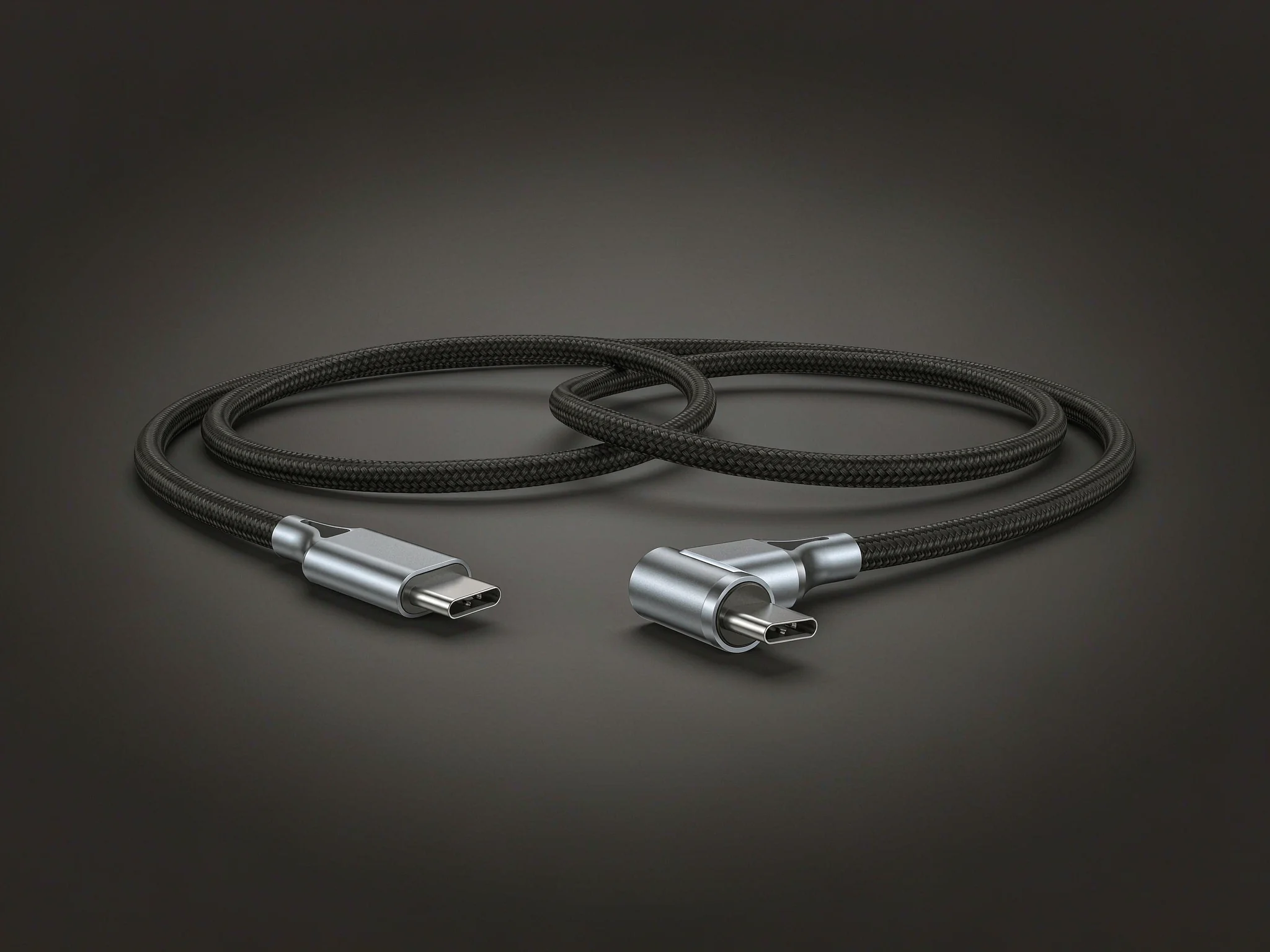
A car USB-C cable needs three things a desk cable does not: a data-rated pair so
Android Auto and CarPlay stay connected, current capacity matched to the port, and a jacket and
bend relief that survive 70 °C behind a windscreen. For most vehicles a
USB-C to USB-C cable rated 100 W (20 V / 5 A, electronically marked) with USB 2.0
data and one right-angle end covers charging, projection and dash-camera use. The ZG-CUC01
series ships in 0.3 m to 2 m with nylon braid and OEM branding.
Android Auto drops out at the same corner every morning. CarPlay reconnects three
times on a twenty-minute drive. The phone says “charging slowly” on a 45 W port.
None of these are usually the head unit — they are the cable, and specifically the two
properties a cheap cable gets wrong: data-pair integrity and bend relief.
A USB-C cable sold for a desk carries 5 V at 2 A and never sees 70 °C. A
cable in a vehicle is plugged and unplugged several times a day, is pulled sideways by a phone
mount, bakes behind glass in summer, and has to hold a 480 Mbps link while the vehicle
electrical system moves between 11 V and 15 V. Those are different requirements, and
they are the reason a cable that works perfectly on a laptop fails in a car.
This page covers what the ZG-CUC01 is built from, how the power and data ratings actually
work, which length and plug angle to specify, and where the cable is used in real installs.
What a Car USB-C Cable Has to Do That a Desk Cable Does Not
Four loads act on the cable at once, and each one maps to a specific part of the construction.
Thermal load behind a windscreen
A dashboard in direct summer sun reaches well above ambient, and a black cable lying on it
absorbs more than the air around it. Standard PVC jackets soften and take a permanent set; the
conductor insulation can deform against the shield and change the cable’s characteristic
behaviour. ZG-CUC01 uses a TPE inner jacket rated to 105 °C under a nylon braid, so the
braid takes the abrasion and the TPE keeps the geometry stable when the interior heats up.
Insertion cycles and side load
A phone mounted in a cradle pulls the cable sideways, not straight back. All of that side load
lands on the few millimetres where the plug shell meets the jacket. That is why the failure is
almost always at the connector, not in the middle of the cable. A moulded bend relief that
overlaps the jacket by at least 8 mm spreads the load over a longer section, and the
right-angle version removes most of it entirely.
Data integrity, not just power
Android Auto and CarPlay both run a USB 2.0-class link at 480 Mbps. That sounds modest
until you remember the cable is inside a vehicle with a switching alternator, ignition noise and
a class-D amplifier. Charging-only cables often ship with two conductors and no twisted data pair
at all, which is why they charge fine and refuse to start projection. ZG-CUC01 carries a shielded
twisted pair on every length.
The right-angle end
In a vent mount or a cradle, a straight plug projects 20 mm out of the phone and acts as a
lever. A 90° plug turns the cable along the back of the handset, where the strain is taken by
the mount rather than the connector. The trade-off is orientation: the plug exits in one fixed
direction, so confirm whether your mount needs the cable to run left, right or down before
ordering.
Specification — ZG-CUC01 Series
Standard build below. Power rating, data rate, plug angle, length, jacket colour and branding
are all made to order, so treat this as the baseline for your own specification sheet.
| Model | ZG-CUC01 (USB-C to USB-C, straight / right-angle) |
| Connector | USB-C male to USB-C male; 90° option on either end |
| Power rating | 100 W — 20 V / 5 A with e-marker; 60 W — 20 V / 3 A without |
| Data rate | USB 2.0, 480 Mbps (USB 3.2 Gen 1, 5 Gbps on request) |
| Power conductors | 20 AWG, OFC |
| Data pair | 28 AWG shielded twisted pair |
| Shielding | Aluminium foil plus tinned copper braid |
| Jacket | TPE inner, nylon braid outer; −20 °C to 105 °C |
| Bend life | 10,000 cycles at 180° (test report on request) |
| Insertion life | 10,000 mating cycles |
| Lengths | 0.3, 0.5, 1, 1.5, 2 m; coiled versions on request |
| Colour | Black, grey, white; custom Pantone match |
| Packing | Polybag, foil bag, colour box, gift box or OEM packaging |
| Production time | 30–40 days after sample approval |
| Quality system | ISO 9001 factory; CE, FCC and RoHS documentation |
60W, 100W or 240W: What a Car Port Can Actually Deliver
USB Power Delivery ratings are frequently misread as a promise about the vehicle. They are a
ceiling, not an output. Three numbers matter, and they are defined by the USB Implementers Forum
rather than by any cable brand.
| Cable class | Max current | Max power at 20V | E-marker | Real use in a car |
|---|---|---|---|---|
| Standard | 3 A | 60 W | Not required | Phone fast charge on a 30–45 W port |
| 5 A rated | 5 A | 100 W | Required | Laptop or tablet from a 65–100 W vehicle charger |
| EPR (PD 3.1) | 5 A at up to 48 V | 240 W | Required | Not reachable from a 12 V vehicle socket today |
Two practical consequences follow. First, a 100 W cable on a 30 W port is not a
problem: the charger and the device negotiate, and the cable simply runs below its ceiling.
Second, a cable advertised at 100 W without an e-marker cannot legally deliver 5 A,
because the charger has no way to identify it. If a listing quotes 100 W and does not
mention electronic marking, the number is probably the charger’s, not the cable’s.
The 240 W tier exists in the PD 3.1 specification, but it needs 28 V, 36 V or
48 V at the source. A 12 V accessory socket cannot supply that without a boost
converter, so for vehicle use the meaningful ceiling remains 100 W.
Data Rate: 480 Mbps or 5 Gbps?
For projection, 480 Mbps is enough and has been since Android Auto launched. Both Android
Auto and CarPlay run the head-unit link at USB 2.0 speed, so a USB 3.2 cable buys nothing for
projection — what matters is that the data pair exists, is twisted, and is shielded.
The faster tier matters for a different job: offloading dash-camera clips, or reading a drive
through the same port. There, USB 3.2 Gen 1 at 5 Gbps is roughly ten times faster, and the
cable has to carry the additional SuperSpeed pairs. Specify it when the same port is used for
media, not when it is only used for a phone.
- Projection only — USB 2.0, 480 Mbps. Smaller, more flexible,
and the right choice for a cradle cable. - Projection plus media — USB 3.2 Gen 1, 5 Gbps. Thicker, and
needs a vehicle port that actually exposes SuperSpeed lanes.
Length and Routing
Vehicle runs are short, and excess length is the enemy: a coil of unused cable behind a
dashboard is another place for the braid to chafe and for the data pair to pick up noise.
| Position | Length | Note |
|---|---|---|
| Phone in a vent or dash cradle | 0.3–1 m | Right-angle end at the phone; straight end at the port |
| Phone in a console cubby | 1 m | Add 0.2 m if the cubby lid closes over the cable |
| Head unit to a passenger seat | 1.5 m | Run behind the centre stack, not across the shifter |
| Rear-seat passenger or laptop | 2 m | Route along the seat rail; avoid the footwell |
Two rules from the install side. Do not coil the excess tightly — a tight coil is a
choke, and it is also the first place a braid wears through. And never let the cable hang from
the plug: a hanging cable applies a constant moment to the connector shell, which is what
eventually cracks the solder joint inside.
Real Application Scenarios
Four builds where the specification above changes the outcome.
Phone in a vent cradle
A 1 m cable with a 90° plug at the phone and a straight plug at the dash port.
The right-angle end runs down the back of the handset and takes the side load off the
connector. This is the single most common configuration we ship.
Android Auto on a USB-C head unit
A 1 m USB 2.0 cable with a shielded twisted pair. Projection needs a data link, not
bandwidth, so a 480 Mbps cable is the correct specification — the failure mode to
avoid is a charging-only cable with no data pair at all.
Dash camera power and file offload
A 2 m run from a mirror-mounted camera down the A-pillar to a 12 V adapter, with
USB 3.2 Gen 1 specified so the same cable can pull footage at 5 Gbps without being
unclipped from the glass.
Laptop and tablet charging from the rear port
A 2 m 100 W cable from a rear USB-C port to a laptop on the back seat. Confirm
the port’s PD rating first: a 30 W rear port will charge a laptop slowly no matter what
the cable is rated for.
What Actually Kills a Car Cable
Return rates on vehicle cables cluster into five failure modes. Each one is a design decision,
not bad luck.
- Conductor fatigue at the bend relief. The strands break where the jacket
ends. A longer moulded relief, or a right-angle plug, moves the flex point away from the
solder joint. - Contact plating wear. Thin gold over a rough nickel layer wears through in
a few hundred cycles, and the copper underneath oxidises. Specify plating thickness, not just
“gold plated”. - Jacket hardening under heat and UV. PVC behind glass goes brittle within
two summers. TPE under braid holds its flexibility far longer. - Charging-only construction. No twisted pair, no shield, no projection.
This is the most common cause of “Android Auto will not start” after a cable swap. - Missing e-marker. The cable is rated 5 A on the packaging but cannot
be identified, so the charger caps the link at 3 A and the device reports slow charging.
OEM and ODM Options
ZOGUO has manufactured cable assemblies in Guangdong since 2000, and the vehicle cable
programme is built around the same lines as our charging and data cables. Customisable
variables:
- Plug geometry — straight, 90° or 180° on either end, with
the exit direction fixed to your mount design. - Power and data tier — 60 W or 100 W, USB 2.0 or USB 3.2
Gen 1, with or without an e-marker. - Jacket and colour — nylon braid, TPE or silicone; Pantone-matched
shells and braid. - Branding — laser-etched logo on the shell, printed heat-shrink,
retail-ready packaging with your artwork. - Compliance package — CE, FCC and RoHS declarations plus a batch test
report covering continuity, Hi-Pot and data eye margin.
Related pages: the
CarPlay USB adapter cable
for cars with a USB-C port and USB-A accessories, the
170 W USB-C car charger
that pairs with this cable, and the wider
car electronics range.
Frequently Asked Questions
Is a car USB-C cable different from a normal USB-C cable?
Electrically it is the same standard. The difference is construction:
a vehicle cable needs a data-rated twisted pair, a jacket that holds up to dashboard heat, a
bend relief that survives side load from a cradle, and often a right-angle plug. A desk cable
can skip all four and still work perfectly on a laptop.
Why does Android Auto disconnect when I hit a bump?
Almost always a mechanical fault at the connector or a marginal data
pair. Vibration opens the contact momentarily, the phone re-enumerates, and projection drops.
Check the plug for play, then swap to a cable with a longer bend relief. If the drop continues
at the same location every time, check the vehicle port for wear rather than replacing the
cable again.
Do I need an e-marker for 100W in a car?
Yes. A cable rated above 3 A must be electronically marked so the
charger can identify its current capability. Without the marker the link is capped at
3 A, which is 60 W at 20 V — fine for a phone, not enough for a
laptop.
Will a USB-C to USB-C cable work with Apple CarPlay?
Yes, on vehicles whose head unit exposes a USB-C port and supports
CarPlay over USB-C. Apple notes that some combinations of cables and adapters can disrupt a
wired CarPlay connection, so connect the phone directly rather than through a chain of
adapters.
What length do I need for a phone cradle?
One metre covers most vent and dash mounts. Go to 0.3 m only if
the port is within the mount itself, and to 1.5 m if the cable has to route behind the
centre stack. Add 0.2 m whenever the cable passes through a closed cubby lid.
Can a charging-only cable run Android Auto?
No. Charging-only cables often carry two power conductors and no data
pair, so the phone charges and the head unit never enumerates it. This is the most common
reason a new cable fails to start projection on a head unit that was working
previously.
What temperature should a car USB-C cable be rated for?
Look for a jacket rated to at least 105 °C. Interior surfaces
behind glass in summer exceed 70 °C, and a black cable lying on a dashboard runs
hotter than the air around it. Standard PVC jackets soften well below that.
Request a Free Sample or a Factory Quote
Tell us the plug angle, length, power tier and whether the cable will be used for projection
or for media. We will return a matched specification and a quotation, usually within one working
day, and ship a sample you can test on the target head unit before committing to volume.
Send Your Requirement
OEM / ODM Support
Sources
- USB Implementers Forum, USB Charger (USB Power Delivery) — USB PD
Revision 3.1 delivers up to 240 W over a full-featured USB Type-C cable and
connector, which is the basis for the 60 W / 100 W / 240 W tiering used above.
usb.org/usb-charger-pd - USB Implementers Forum, USB Type-C Cable and Connector Specification —
defines the 3 A and 5 A cable current ratings and the electronically marked cable
requirement above 3 A.
usb.org - Apple Support, Use CarPlay with your iPhone — notes that some combinations of
adapters, cables and vehicle entertainment systems can disrupt a wired CarPlay connection.
support.apple.com
Specifications in Table 1 describe the ZG-CUC01 standard build and are supplied
for evaluation. Confirm the final bill of materials, e-marker configuration and test report
against your approved sample before release.