
Video Cable Types: The Buyer's Comparison
Quick answer / TL;DR: Short answer: HDMI for consumer displays and AV gear (version decides 4K/120 and HDR support); DisplayPort for monitors and multi-screen setups (version decides refresh and daisy-chain); DVI for legacy digital displays with no audio; VGA for legacy analog monitors only. Order by version and length, and check certification on HDMI and DisplayPort.
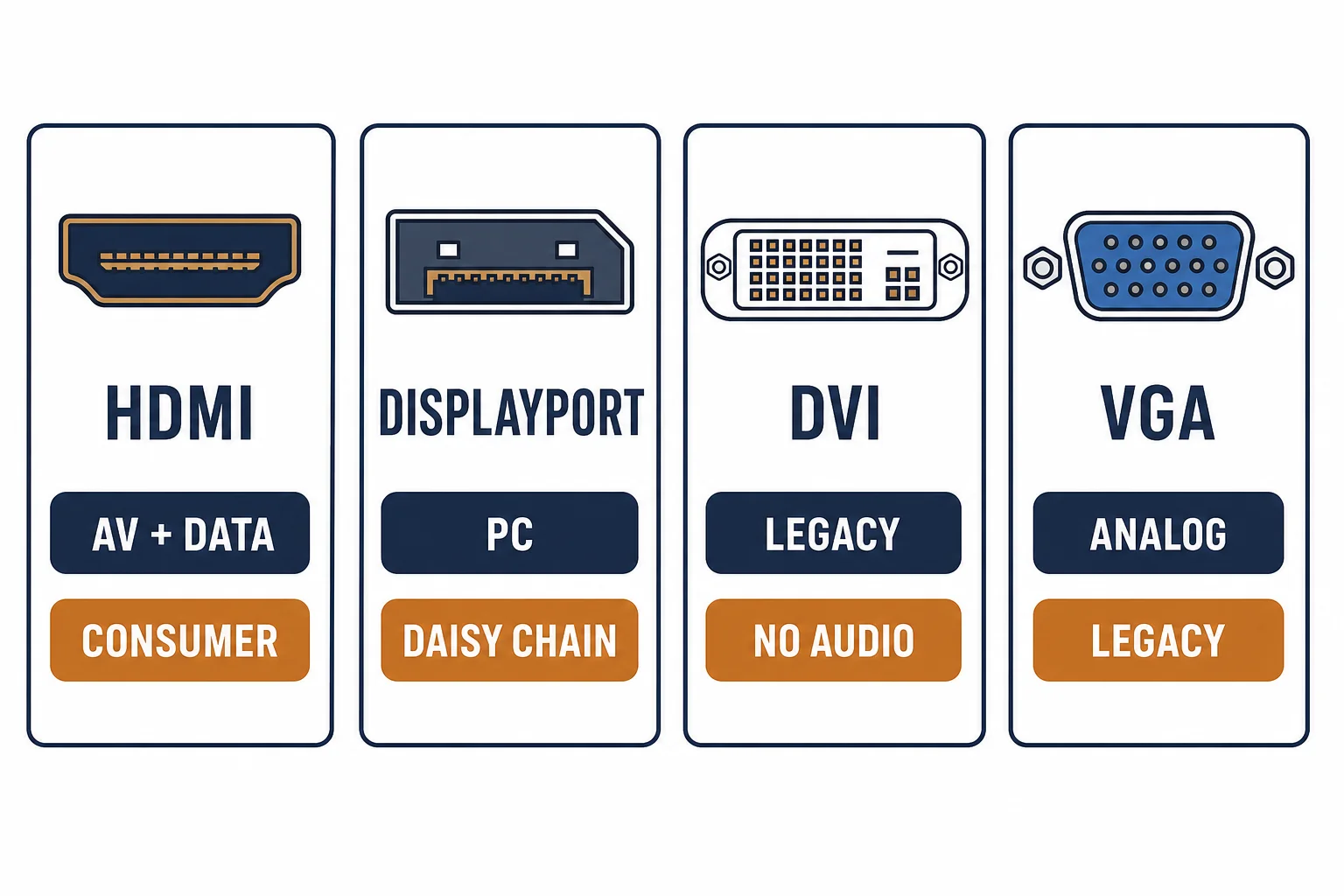
Four video cables cover most buying decisions: two digital families still growing (HDMI, DisplayPort) and two legacy analog-era families still in service (DVI, VGA). The choice is usually made by the display and source, not by preference – but the version within each family is where the money goes wrong.
This is the comparison: what each family carries, the versions that matter, and the line to order.
The Comparison
| The family | The signal | The strength | The limit |
|---|---|---|---|
| HDMI | Digital A/V | One cable for video and audio | Version fragmentation |
| DisplayPort | Digital A/V | High refresh, daisy chain | Consumer device coverage |
| DVI | Digital video | Legacy display compatibility | No audio in most forms |
| VGA | Analog video | Universal on old gear | Resolution and noise limits |
The table pairs each family with its strength and its limit; the purchase lives in that pair.
The Versions That Matter
- HDMI 2.1: the bandwidth tier for 4K/120 and 8K – certification matters more than the label
- DisplayPort 1.4 and 2.x: the link-rate tiers for high refresh and multi-monitor
- DVI-D vs DVI-I: digital-only versus analog-compatible pins
- VGA: no versions worth chasing – the resolution ceiling is the spec
The version lines are where budgets leak: an uncertified '2.1' cable may not carry 48 Gbps, and a 1.2 DisplayPort cable will not run a 4K/144 monitor.
The Order Line
| The device | The line |
|---|---|
| 4K/120 console or player | HDMI 2.1, certified, shortest length |
| High-refresh monitor | DisplayPort 1.4, VESA certified |
| Legacy digital projector | DVI-D, length by the run |
| Old analog monitor | VGA, shielded, with ferrites |
Standards and Verification
| The reference | The relevance |
|---|---|
| HDMI 2.1 specification | Bandwidth tiers and the certification program |
| VESA DisplayPort standard | Link rates and certification |
| DDWG DVI specification | The DVI pin families |
Per-SKU bandwidth and certification are not provided in the knowledge base. The family and version structure is standard; verify certification against the issuing program's listing.
Real-World Applications
The console setup
A 4K/120 console into a matching TV: certified HDMI 2.1 at 2 m – the version and the certification both confirmed before purchase.
The trading desk
Three monitors on DisplayPort with daisy chain: 1.4-rated cables – the link rate supporting the refresh the desk needs.
The conference room projector
An older projector with DVI input: DVI-D to HDMI – the digital family extended, audio routed separately.
Related reading: The wider A/V family? Read the A/V cables category map — blogs/news/a-v-cables-buying
Related reading: Long runs and the alternatives? Read the HDMI cable length guide — blogs/news/hdmi-cable-length-buying
Frequently Asked Questions
What are the main video cable types?
HDMI and DisplayPort for digital, DVI for legacy digital, VGA for legacy analog. Each has its own version and length considerations.
Is HDMI or DisplayPort better?
Neither universally: HDMI suits consumer AV, DisplayPort suits monitors and multi-screen. The device's port decides, then the version.
Do I need a certified HDMI cable?
For high-bandwidth formats (4K/120, 8K) yes – certification is the evidence the cable carries the bandwidth it claims.
Is VGA still usable?
For legacy analog displays, yes – within its resolution and noise limits. New installations should use digital families.
Sourcing cables for a project, a store, or a private-label line? Contact our B2B sales team for specifications, certification evidence, and volume terms – FOB and CIF options available. Request a quote or sample.