
USB Type-B Cable: The Square End
Quick answer / TL;DR: Short answer: Type-B is the device-end connector on printers, scanners and audio interfaces. USB 2.0 Type-B is square; USB 3.0 Type-B adds a raised block and is not interchangeable. Buy a cable rated for the device's version, keep the run under about 5 m for 2.0, and avoid passive extensions.
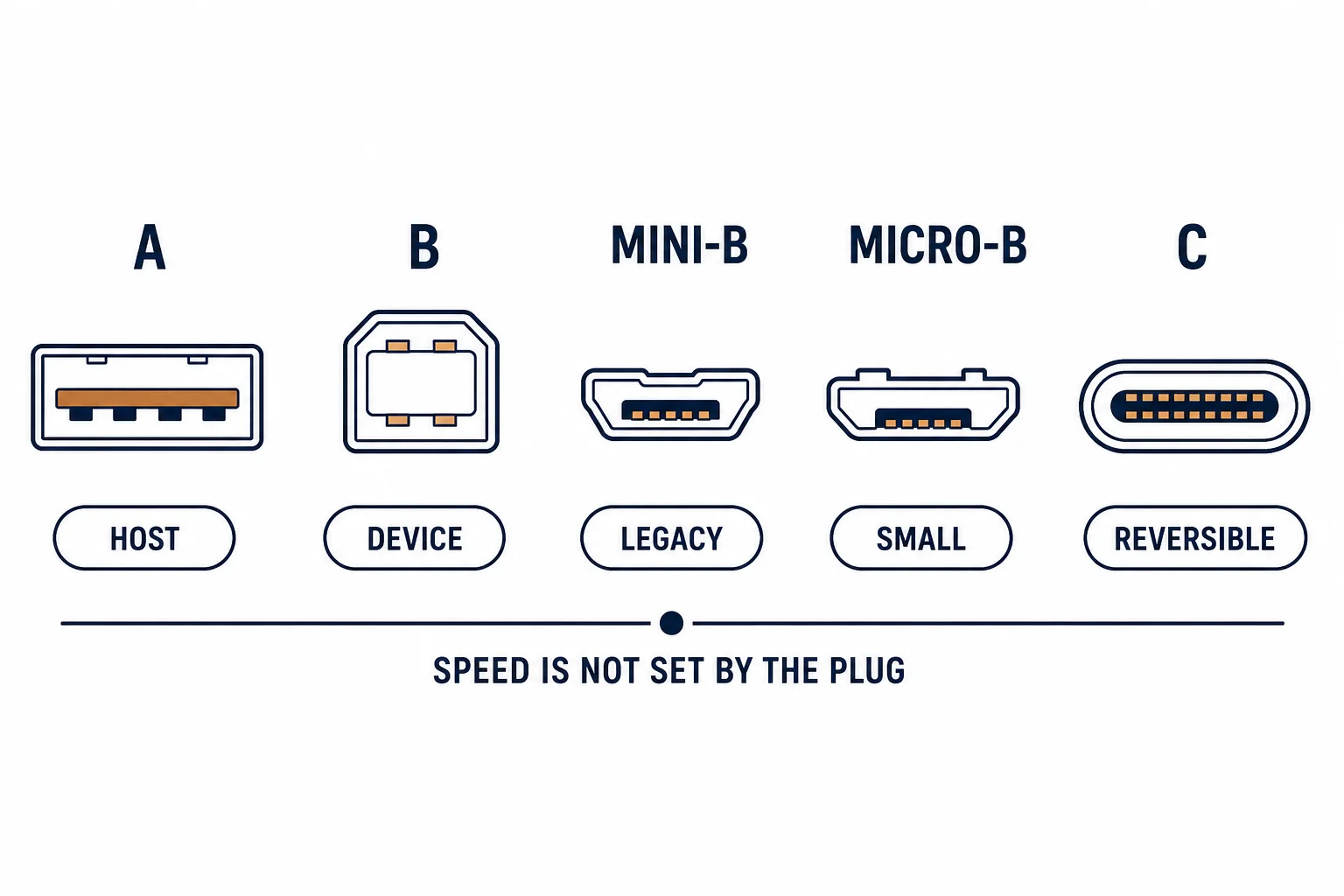
The USB Type-B connector is the square plug found on printers, scanners, audio interfaces and lab equipment. It exists because the original specification wanted a plug that could not be inserted into a host port – the shape enforces the device role.
This is the Type-B guide: what the connector serves, the 3.0 variant that adds a block, and the length limits that produce mysterious failures.
What It Serves
| The device | The version | The note |
|---|---|---|
| Printer | 2.0 usually | 3.0 on fast models |
| Scanner | 2.0 or 3.0 | Large files benefit |
| Audio interface | 2.0 | Latency more important |
| Lab equipment | 2.0 | Long service life |
The connector is chosen by the device designer to prevent wrong connections, and it has stayed stable for decades.
The 3.0 Variant
- USB 2.0 Type-B: square, four pins
- USB 3.0 Type-B: square with a raised block on top
- Cables are not interchangeable
- The 3.0 version carries the extra pairs for 5 Gbps
The visual difference is a block on the upper surface, which is easy to miss in a photograph and obvious in the hand.
The Length Limits
| The version | The passive limit | The workaround |
|---|---|---|
| USB 2.0 | About 5 m | Active extension |
| USB 3.0 | About 3 m | Active extension or network |
| Beyond | Not passive | Ethernet where available |
Where the device has a network port, that is usually the better long-term connection for a fixed position.
Standards and Verification
| The reference | The relevance |
|---|---|
| USB 2.0 / 3.2 | Connector definitions |
| USB-IF | Cable compliance |
| Field test | Device recognised, rate confirmed |
Per-SKU ratings are not provided in the knowledge base. The connector definitions are standard; check the device port shape before ordering.
Practical Notes
Type-B cables are the most commonly lost cable in an office, and the most commonly borrowed. Keep a labelled spare – the cost is trivial against a day of shared printing being down.
Real-World Applications
The audio interface
A recording interface on a Type-B cable: the 2.0 version matched, the cable kept short – latency stable through a session.
The 3.0 scanner
A scanner with USB 3.0 Type-B connected by a 2.0 cable: it worked at 2.0 speed. The correct cable doubled the scan rate.
The lost cable
A printer down for a day because its cable had been borrowed: a labelled spare in the drawer prevented the repeat.
Related reading: The micro-B variant — blogs/news/usb-mini-b-cable
Related reading: B-to-B instrument cable — blogs/news/usb-b-to-b-cable
Frequently Asked Questions
What is a USB Type-B cable for?
Printers, scanners and audio interfaces – the device end of a host-to-device link.
Is USB 3.0 Type-B the same?
No – it has an extra block and is not interchangeable.
How long can it be?
About 5 m for 2.0 and 3 m for 3.0 without an active extension.
Can I use an extension?
Passive extensions are unreliable; use one correct-length cable.
Sourcing cables for a project, a store, or a private-label line? Contact our B2B sales team for specifications, certification evidence, and volume terms – FOB and CIF options available. Request a quote or sample.