
USB OTG Adapter: The Phone as Host
Quick answer / TL;DR: Short answer: an OTG adapter grounds the ID pin, which tells the phone to act as host. It supports flash drives, keyboards, mice and some cameras, subject to the phone's power output – typically a few hundred milliamps, so bus-powered drives may need a powered hub. The connector must match the phone: micro-USB OTG for older devices, USB-C OTG for newer ones.
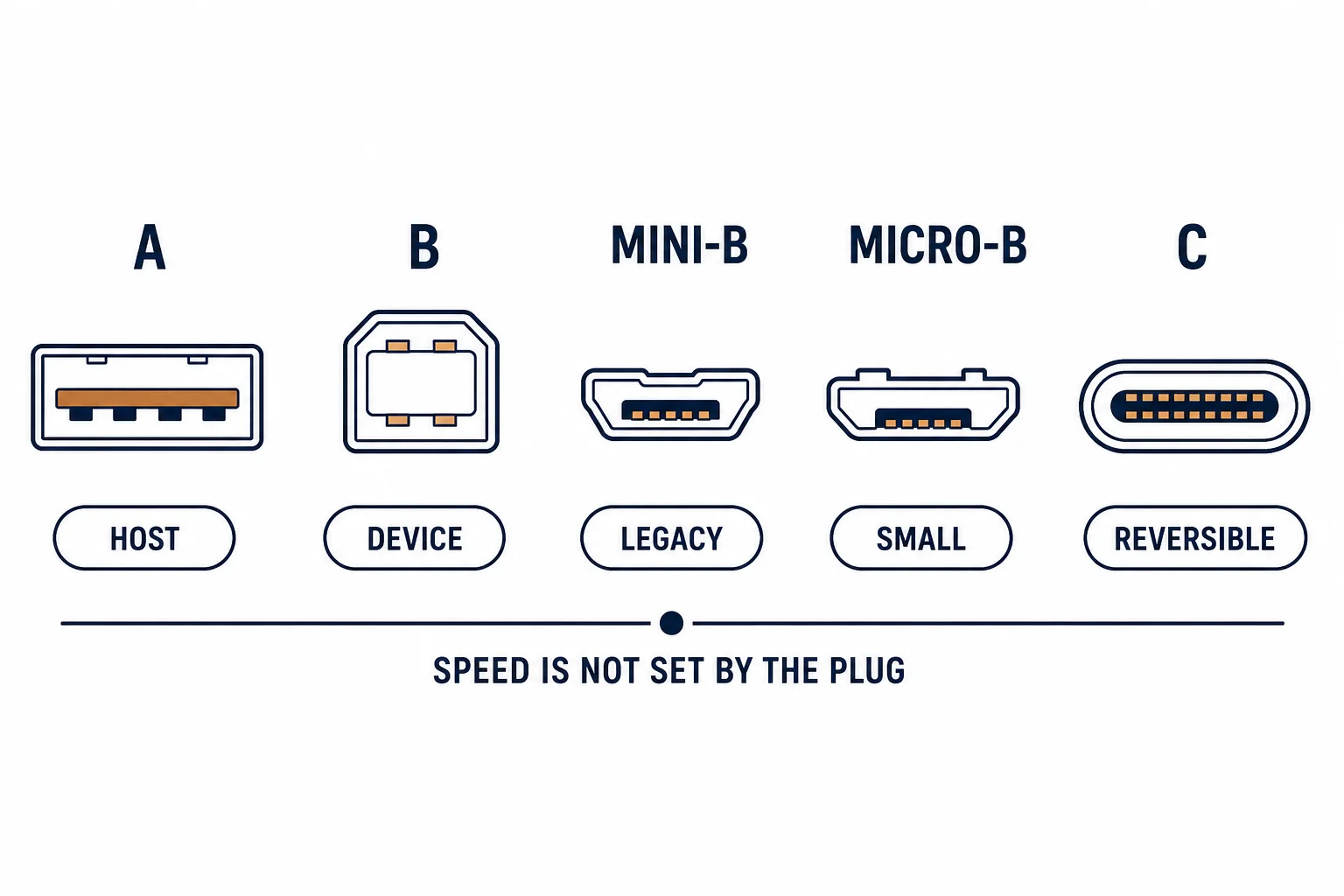
A USB OTG adapter changes the role of a phone or tablet port from device to host, so it can read a flash drive, accept a keyboard or talk to a camera. The role change is signalled by a fifth pin tied to ground – which is why a plain adapter works and a plain cable does not.
This is the OTG guide: how the role is signalled, what the host can do, and the power limits that explain most 'device not recognised' results.
How the Role Is Signalled
| The element | The function | |
|---|---|---|
| ID pin | Grounded to request host mode | |
| Adapter | Contains the link, no electronics | |
| Cable | Does not ground ID | No host mode |
The difference between an OTG adapter and a charging cable is one connection inside the plug.
What It Can Do
- Read a flash drive or card reader
- Connect a keyboard or mouse
- Transfer from a camera in some cases
- Feed a small DAC or MIDI device
The list is broad because the phone is a general-purpose host; the limits are power and driver support.
The Power Limits
| The device | The typical draw | The result |
|---|---|---|
| Flash drive | Low | Works |
| Keyboard or mouse | Very low | Works |
| Mechanical hard drive | High | Needs powered hub |
| Camera | Moderate | Sometimes |
The power limit explains the most common failure: a drive that spins up and drops out because the phone cannot supply the current.
Standards and Verification
| The reference | The relevance |
|---|---|
| USB 2.0 On-The-Go | The role and ID pin |
| USB-C | OTG equivalent in C connectors |
| Field test | Device recognised and readable |
Per-device OTG support is not provided in the knowledge base. The mechanism is standard; check the phone's specification for host-mode support.
Practical Notes
The connector generation decides the adapter: micro-USB OTG for older phones, USB-C OTG for newer ones. Buying the wrong one produces a plug that fits nothing – or a cable that charges but never hosts.
Real-World Applications
The field backup
A photographer copying cards to a phone: a USB-C OTG adapter and a card reader – images backed up before leaving the site.
The mechanical drive
A portable hard drive connected by OTG: it spun up and disconnected. A powered hub used between phone and drive – the power limit, not compatibility.
The wrong cable
A charging cable used to connect a flash drive: nothing happened. An OTG adapter substituted – the ID pin had never been grounded.
Related reading: The micro-A host connector — blogs/news/micro-a-to-micro-b-cable
Related reading: Micro USB in general — blogs/news/micro-usb-guide
Frequently Asked Questions
What does a USB OTG adapter do?
It makes a phone or tablet act as a USB host so peripherals can connect.
Why is my drive not recognised?
Often the phone cannot supply enough current, or the cable is not an OTG adapter.
Do I need a special hub?
For power-hungry devices, a powered hub is required.
Which adapter for my phone?
Micro-USB OTG for older devices, USB-C OTG for newer ones.
Sourcing cables for a project, a store, or a private-label line? Contact our B2B sales team for specifications, certification evidence, and volume terms – FOB and CIF options available. Request a quote or sample.