
USB-C to Micro USB
Quick answer / TL;DR: Short answer: a C-to-micro-USB cable carries data at the device's USB version and charges at the device's accepted rate, which is usually 5 V and a modest current. It cannot make an old device fast-charge. Buy a data-rated cable if transfers matter, and check the connector version – micro USB 3.0 is wider and needs its own cable.
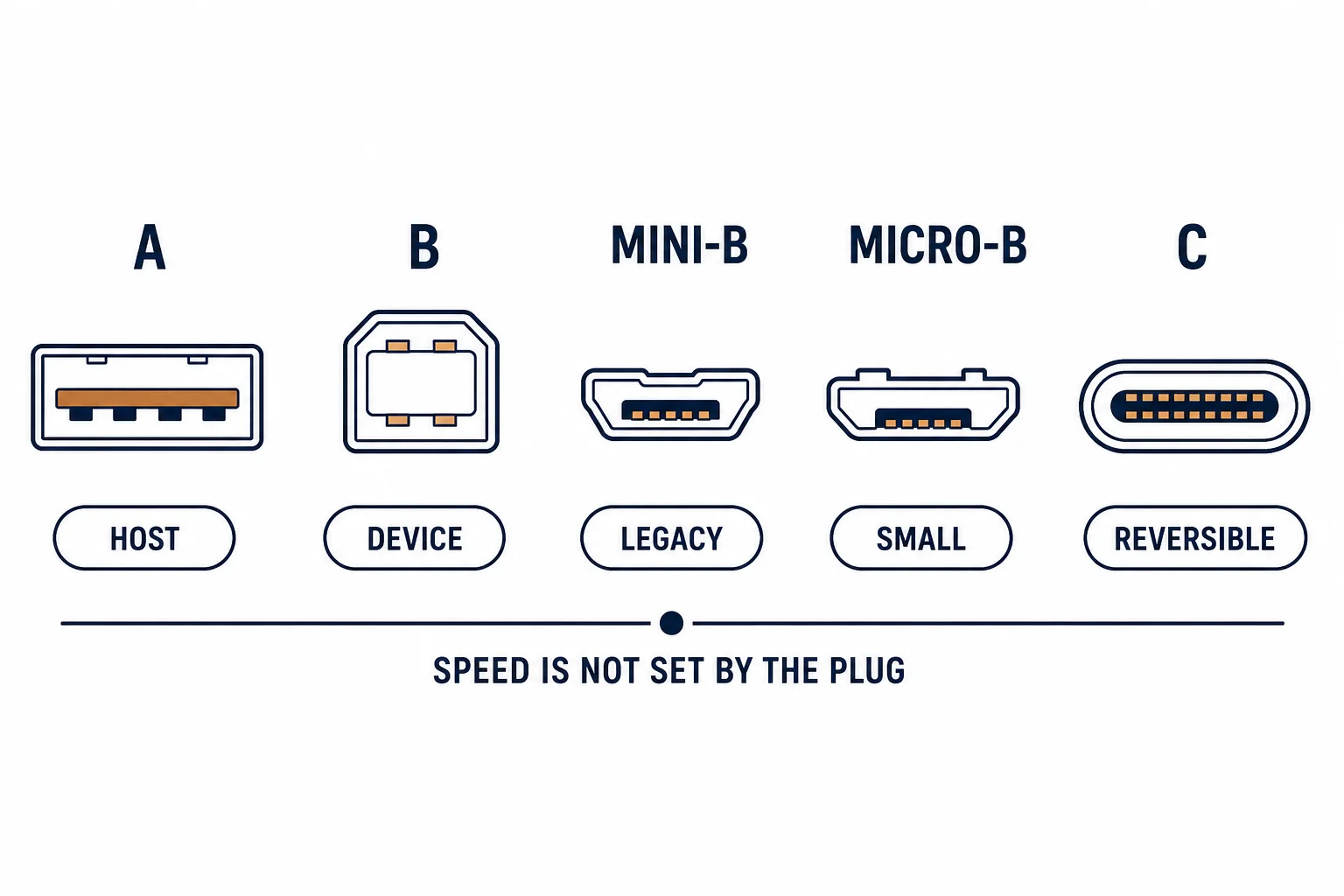
A USB-C to micro USB cable connects a modern host to a legacy device: a phone to an older camera, a laptop to a label printer, a charger to a device that predates USB-C. It is a transition cable, and its capabilities are set by the older end.
This is the bridge-cable guide: what it carries, the charge rates that are realistic, and the specification checks before buying for a specific device.
What It Carries
| The capability | The limit |
|---|---|
| Data | Device's USB version |
| Charging | Device's accepted rate |
| Fast charging | Usually not supported |
| Video | No |
The legacy device is the ceiling on everything: the cable only carries what both ends agree.
Where It Is Needed
- Charging older devices from a modern charger
- Connecting a legacy camera or printer to a laptop
- Field kits where one charger serves mixed hardware
- Replacing a lost cable for a device still in service
The need is transitional and practical: the devices are still working and the charger is already USB-C.
The Version Trap
| The device port | The cable |
|---|---|
| Micro USB 2.0 | Standard C-to-micro |
| Micro USB 3.0 | Wider connector, separate cable |
| Micro USB 2.0 with OTG | Adapter, not a cable |
The 3.0 micro connector is visibly wider; a 2.0 cable will not fit it, which is a common and avoidable purchase error.
Standards and Verification
| The reference | The relevance |
|---|---|
| USB 2.0 / 3.2 | Connector and rate definitions |
| USB Battery Charging | The 5 V conventions |
| Field test | Device charges and is recognised |
Per-SKU current ratings are not provided in the knowledge base. The device's specification sets the rate; check it before expecting fast charging.
Practical Notes
Keep one C-to-micro cable in a travel kit: it turns a modern charger into a universal one for older devices, and it is the cable most often missing when a legacy device needs charging.
Real-World Applications
The travel kit
One USB-C charger and one C-to-micro cable: a phone, a camera and a power bank all charged from the same source – three devices, two items.
The 3.0 mistake
A C-to-micro 2.0 cable ordered for a micro USB 3.0 drive: it did not fit. The wider cable ordered – the connector version had not been checked.
The data need
A camera connected to a laptop with a charge-only C-to-micro cable: no images appeared. A data-rated cable used – the cable had never carried data.
Related reading: Micro USB connector versions — blogs/news/micro-usb-guide
Related reading: The A-to-C equivalent — blogs/news/usb-a-to-usb-c-cable
Frequently Asked Questions
Can a C-to-micro cable fast charge?
Usually not – the legacy device sets the rate.
Does it work for data?
Yes, if the cable is data-rated and the device supports it.
Is micro USB 3.0 compatible?
No – it uses a wider connector and needs its own cable.
Why is my device not recognised?
Often a charge-only cable.
Sourcing cables for a project, a store, or a private-label line? Contact our B2B sales team for specifications, certification evidence, and volume terms – FOB and CIF options available. Request a quote or sample.