
USB-A vs USB-C: What Really Differs
Quick answer / TL;DR: Short answer: USB-A is the rectangular host connector; USB-C is the small reversible connector that can carry data, power and video. Speed and power are set by the version and the electronics, not the shape – a USB-C port can be USB 2.0 only. Choose by the device's specification, and use C-to-C for power delivery and video.
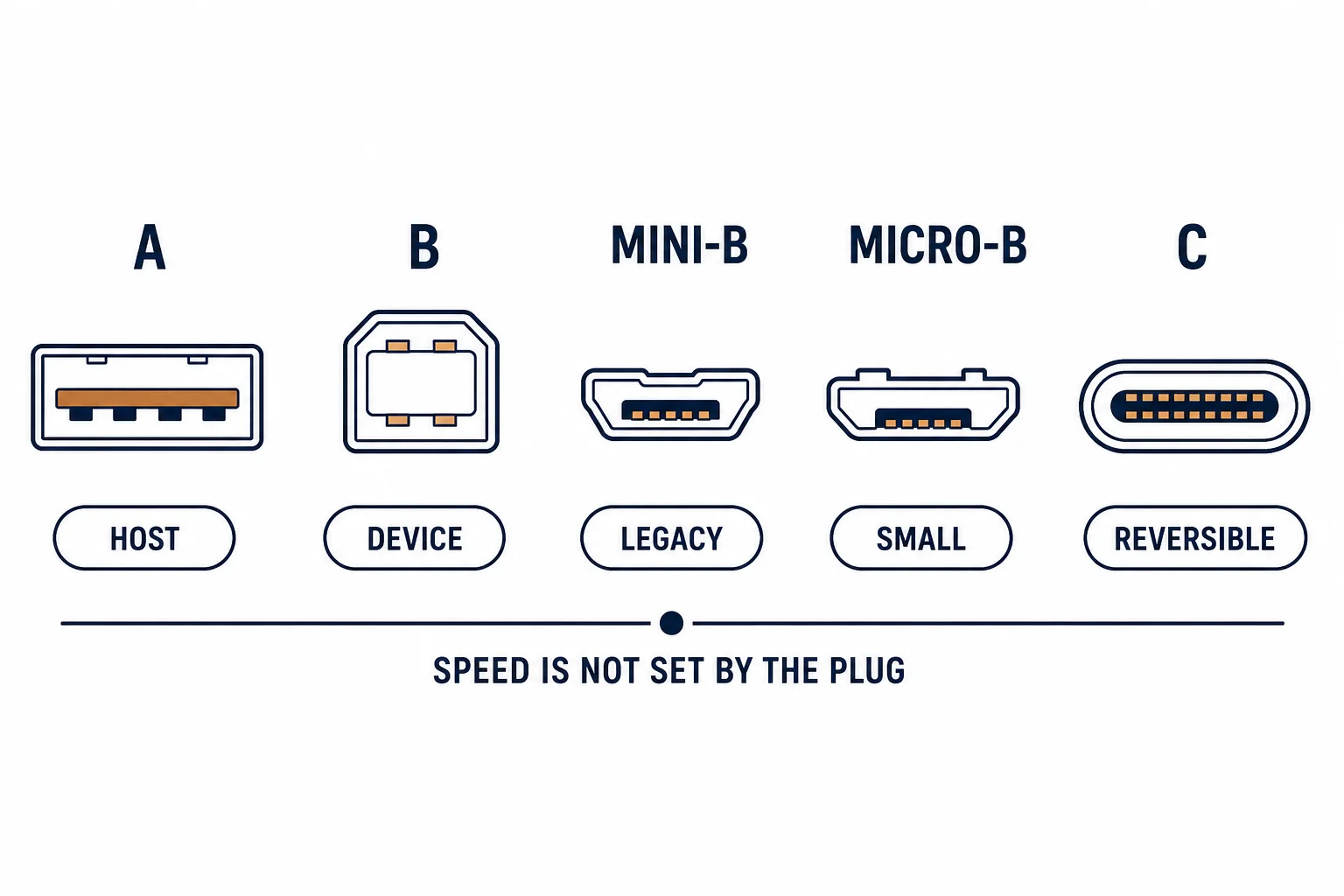
USB-A and USB-C differ in shape, in reversibility and in the number of pins – but not inherently in speed or power. Those come from the version behind the connector, which is why a USB-C cable can be slower than a USB-A one and a USB-A port can charge faster than a USB-C port on the same machine.
This is the comparison: what the connector guarantees, what it does not, and the specification lines that actually decide performance.
The Physical Differences
| The feature | USB-A | USB-C |
|---|---|---|
| Shape | Rectangular | Oval |
| Orientation | One way | Reversible |
| Pins | 4 or 9 | 24 |
| Role | Host, usually | Either role |
The reversibility is the visible advantage; the role flexibility is the one that changes what a system can do.
What the Connector Does Not Tell You
- Speed: a C port may be USB 2.0
- Power: a C port may not support delivery
- Video: alt mode is optional
- Cable rating: a C cable may be charge-only
The connector is a shape, and buying by shape is how people end up with a slow cable on a fast port.
Choosing in Practice
| The need | The connector |
|---|---|
| Charging a laptop | C-to-C with power delivery |
| Connecting a printer | A-to-B |
| Video output | C with alt mode |
| Legacy peripherals | A, via adapter if needed |
The need determines the connector pair; the device specification determines whether the rate and power are available.
Standards and Verification
| The reference | The relevance |
|---|---|
| USB 2.0 / 3.2 | Rates and connector definitions |
| USB Power Delivery | Voltage and current negotiation |
| USB-IF | Certification |
Per-device port capabilities are not provided in the knowledge base. The standards are published; check the specification rather than the connector.
Practical Notes
The simplest diagnostic for a slow USB-C link is to try a known-fast cable: if the rate improves, the original cable was the limit; if not, the port is. That test takes a minute and settles most arguments.
Real-World Applications
The laptop with two ports
A laptop with USB-C for charging and video and USB-A for peripherals: the C port used for the dock, the A port for a mouse – each connector doing what it is best at.
The slow C port
A desktop's front USB-C port transferring at 2.0 speed: the port was 2.0, not the cable. The rear port used – the specification, not the shape, decided.
The charge-only cable
A C-to-C cable that charged but would not transfer: charge-only wiring. A data-rated cable used – the connector had promised nothing the cable delivered.
Related reading: The Type-A cable guide — blogs/news/usb-a-cable-guide
Related reading: Charging port negotiation — blogs/news/usb-c-charging-port
Frequently Asked Questions
Is USB-C faster than USB-A?
Not inherently – the version decides.
Why is my USB-C port slow?
It may be a USB 2.0 port, or the cable may be charge-only.
Can USB-C carry video?
Only if the port supports alt mode.
Which should I use for charging a laptop?
USB-C with power delivery, on both the charger and the cable.
Sourcing cables for a project, a store, or a private-label line? Contact our B2B sales team for specifications, certification evidence, and volume terms – FOB and CIF options available. Request a quote or sample.