
USB-A to USB-C Cable
Quick answer / TL;DR: Short answer: an A-to-C cable charges at the USB-A port's capability – typically 5 V at up to 2.4 A – and transfers data at the port's version. It cannot negotiate USB Power Delivery, so fast charging and laptop charging are out of reach. Use it for phones, accessories and older chargers; use C-to-C with a PD charger for anything that needs more.
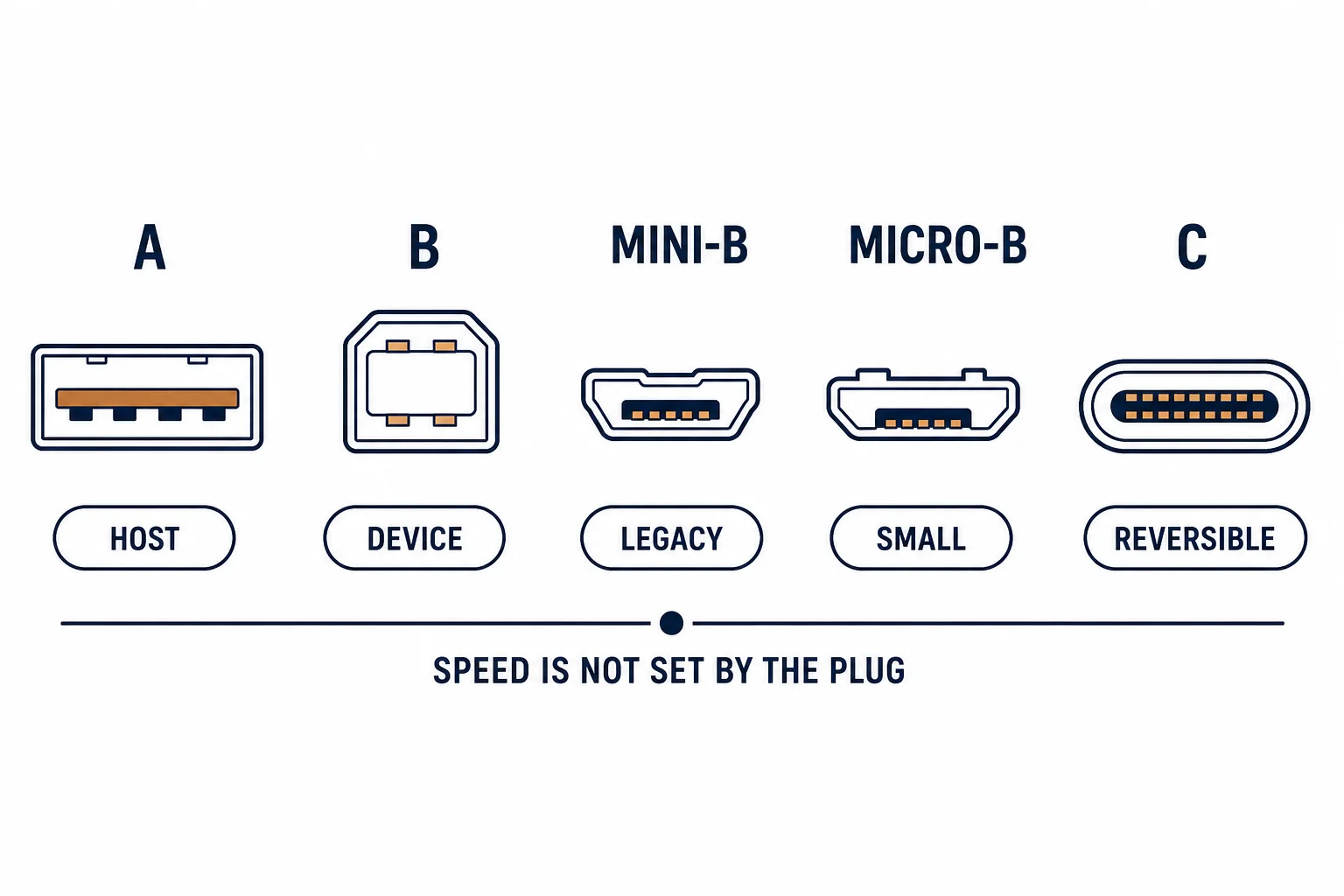
A USB-A to USB-C cable has the old host plug at one end and the new device plug at the other – the most common cable in the transition decade. It charges phones and connects devices, and it cannot deliver USB Power Delivery, because that negotiation requires USB-C at both ends.
This is the transition-cable guide: what it delivers, why fast charging is out of reach, and the devices it serves well.
What It Delivers
| The capability | A-to-C | The limit |
|---|---|---|
| Charging | 5 V, up to a few amps | Port dependent |
| Fast charging | No | Needs C-to-C |
| Data | Port version | 2.0 or 3.x |
| Video | No | No alt mode from A |
The cable is honest about its limits; the confusion comes from expecting USB-C behaviour from a USB-A port.
Why PD Needs C at Both Ends
- Power Delivery negotiates voltage over the CC pin
- USB-A has no CC pin
- Without negotiation the supply stays at 5 V
- The device charges, slowly
The missing pin is the whole explanation: it is a physical limitation, not a firmware one.
Where It Serves Well
| The device | The verdict |
|---|---|
| Phone overnight | Fine |
| Wireless earbuds | Fine |
| Power bank input | Fine |
| Laptop | Not enough |
| Tablet at high load | Marginal |
The pattern is overnight and low-draw: where time is not the constraint, 5 V is adequate.
Standards and Verification
| The reference | The relevance |
|---|---|
| USB 2.0 / 3.2 | Rates and connectors |
| USB Power Delivery | Needs C-to-C |
| USB Battery Charging | The 5 V conventions A-to-C uses |
Per-SKU current ratings are not provided in the knowledge base. The negotiation rules are standard; check the charger's output rather than the cable's claim.
Practical Notes
The cable's current rating matters: a thin A-to-C cable may cap at 1 A and charge slowly with no fault at all. If a device charges unexpectedly slowly, check both the charger and the cable's rating.
Real-World Applications
The overnight charge
A phone charged overnight from an older USB-A charger with an A-to-C cable: full by morning, no fast charging needed – the constraint was time, not power.
The slow surprise
A tablet charging very slowly: the cable was rated at 1 A. A 2.4 A cable and a suitable charger used – the rate recovered without replacing the device.
The laptop attempt
A laptop charged from a USB-A port through an A-to-C cable: it lost charge while running. A C-to-C charger used – PD was the missing capability.
Related reading: Why PD needs C at both ends — blogs/news/usb-c-charging-port
Related reading: The adapter version — blogs/news/usb-a-to-usb-c-adapter
Frequently Asked Questions
Can an A-to-C cable fast charge?
No – power delivery needs USB-C at both ends.
What current can it carry?
Typically up to 2.4 A at 5 V, depending on the charger and cable.
Can it transfer data at 3.0 speed?
Only if both the cable and the A port are 3.x.
Why does my device charge slowly?
Often a 1 A cable or a low-power charger.
Sourcing cables for a project, a store, or a private-label line? Contact our B2B sales team for specifications, certification evidence, and volume terms – FOB and CIF options available. Request a quote or sample.