
USB-A to USB-C Adapter
Quick answer / TL;DR: Short answer: a USB-A to USB-C adapter passes data and power at the USB-A port's capability – commonly USB 2.0 or 3.0 rates, and no USB-C-specific features such as power delivery negotiation or alt-mode video. Use it to connect a USB-C cable to an older port; do not expect it to add fast charging or display output.
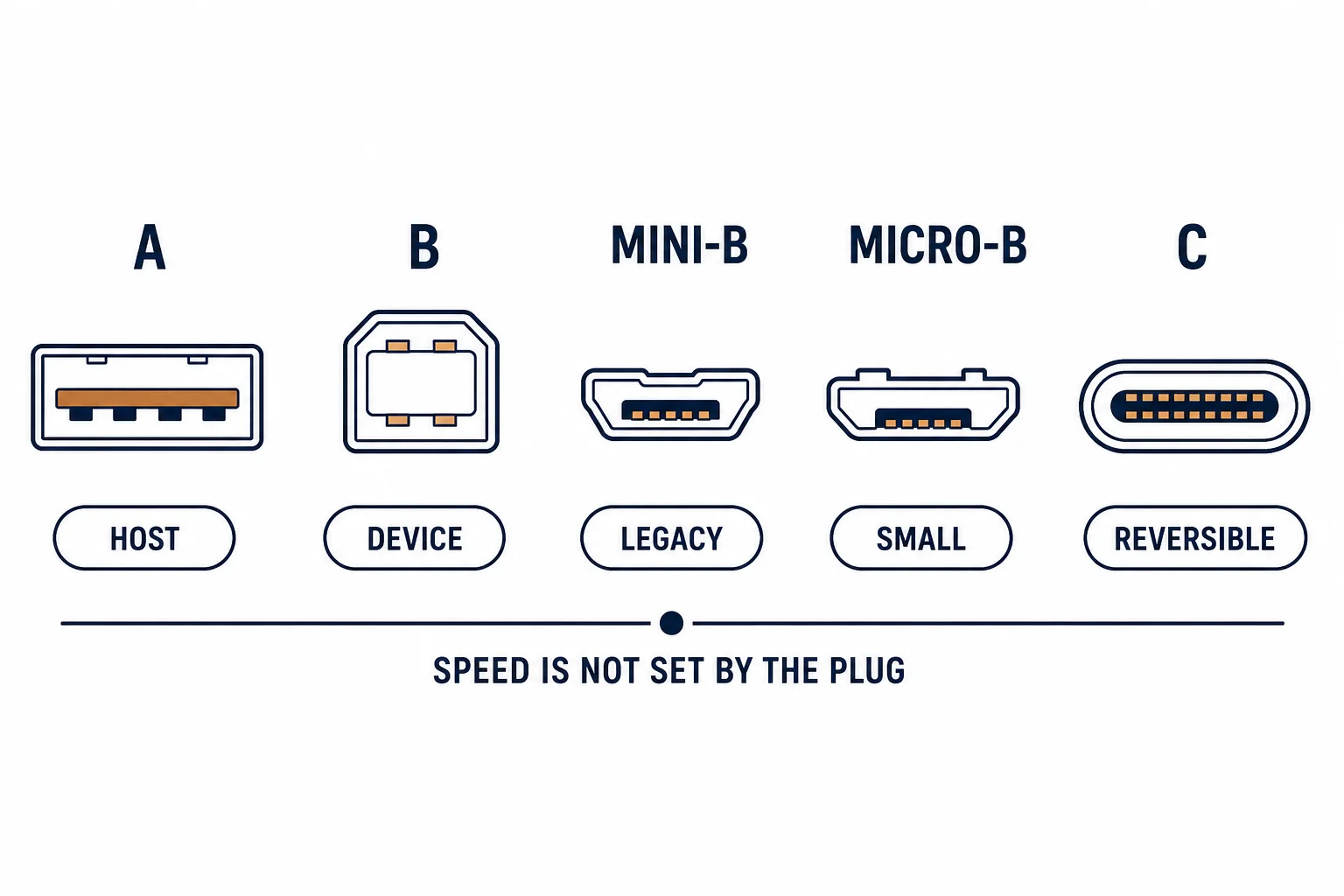
A USB-A to USB-C adapter lets a USB-C cable plug into an older USB-A port. It is a passive re-wiring of the connector, which means it inherits every limit of the port behind it – and it cannot deliver features the host does not have.
This is the adapter guide: what it passes, what it cannot, and the cases where the small part is genuinely the right answer.
What It Passes
| The capability | Passed | The limit |
|---|---|---|
| Data | Yes | Port's version |
| Charging | Yes | Port's current |
| Power delivery | No | Requires USB-C both ends |
| Alt-mode video | No | Requires USB-C host |
The adapter is a shape changer: everything it delivers comes from the port it plugs into.
Where It Helps
- Connecting a USB-C cable to an older laptop
- Using a USB-C device on a desktop with USB-A only
- Travel, where one cable must serve both worlds
- Test benches with mixed equipment
The pattern is transitional hardware: the adapter bridges a generation gap without replacing anything.
Where It Disappoints
| The expectation | The reality |
|---|---|
| Fast charging a phone | Limited by the A port |
| Driving a display | No alt mode |
| 10 Gbps transfers | Port dependent |
| Powering a laptop | Not possible |
The disappointments all trace back to the same cause: the host port, not the adapter.
Standards and Verification
| The reference | The relevance |
|---|---|
| USB 2.0 / 3.2 | Connector and rate definitions |
| USB Power Delivery | Requires C-to-C |
| USB-IF | Adapter compliance |
Per-SKU adapter ratings are not provided in the knowledge base. The connector definitions are standard; check the host port's version before expecting a rate.
Practical Notes
Adapters are small enough to lose and cheap enough to keep several. The failure mode is mechanical: the plug shell loosens after repeated use, so a metal-bodied adapter outlasts a moulded plastic one.
Real-World Applications
The mixed desk
A desktop with USB-A ports and a USB-C headset: an adapter used permanently – data and power delivered at the port's rate, which was sufficient.
The travel kit
One USB-C cable plus one A-to-C adapter: charging from an older wall charger and connecting to a modern laptop – two items covering both.
The charging expectation
A phone expecting fast charge from a USB-A port through an adapter: slow charging. The limitation was the port – power delivery needs USB-C at both ends.
Related reading: The A-to-C cable instead — blogs/news/usb-a-to-usb-c-cable
Related reading: The two connectors compared — blogs/news/usb-a-vs-usb-c
Frequently Asked Questions
Does a USB-A to USB-C adapter support fast charging?
Only at the USB-A port's capability; power delivery needs USB-C both ends.
Can it output video?
No – alt mode requires a USB-C host.
Will it slow my data transfer?
It limits to the USB-A port's version.
Is it safe?
Yes, within the port's current limit.
Sourcing cables for a project, a store, or a private-label line? Contact our B2B sales team for specifications, certification evidence, and volume terms – FOB and CIF options available. Request a quote or sample.