
HDMI eARC: The Lossless Return
Quick answer / TL;DR: Short answer: eARC needs an HDMI cable with the Ethernet channel (most High Speed cables have it), eARC support at both ends, and the TV's audio output set to eARC or bitstream passthrough. It carries lossless and object-based audio that ARC cannot. If the receiver shows PCM or compressed, the setting is upstream, not the cable.
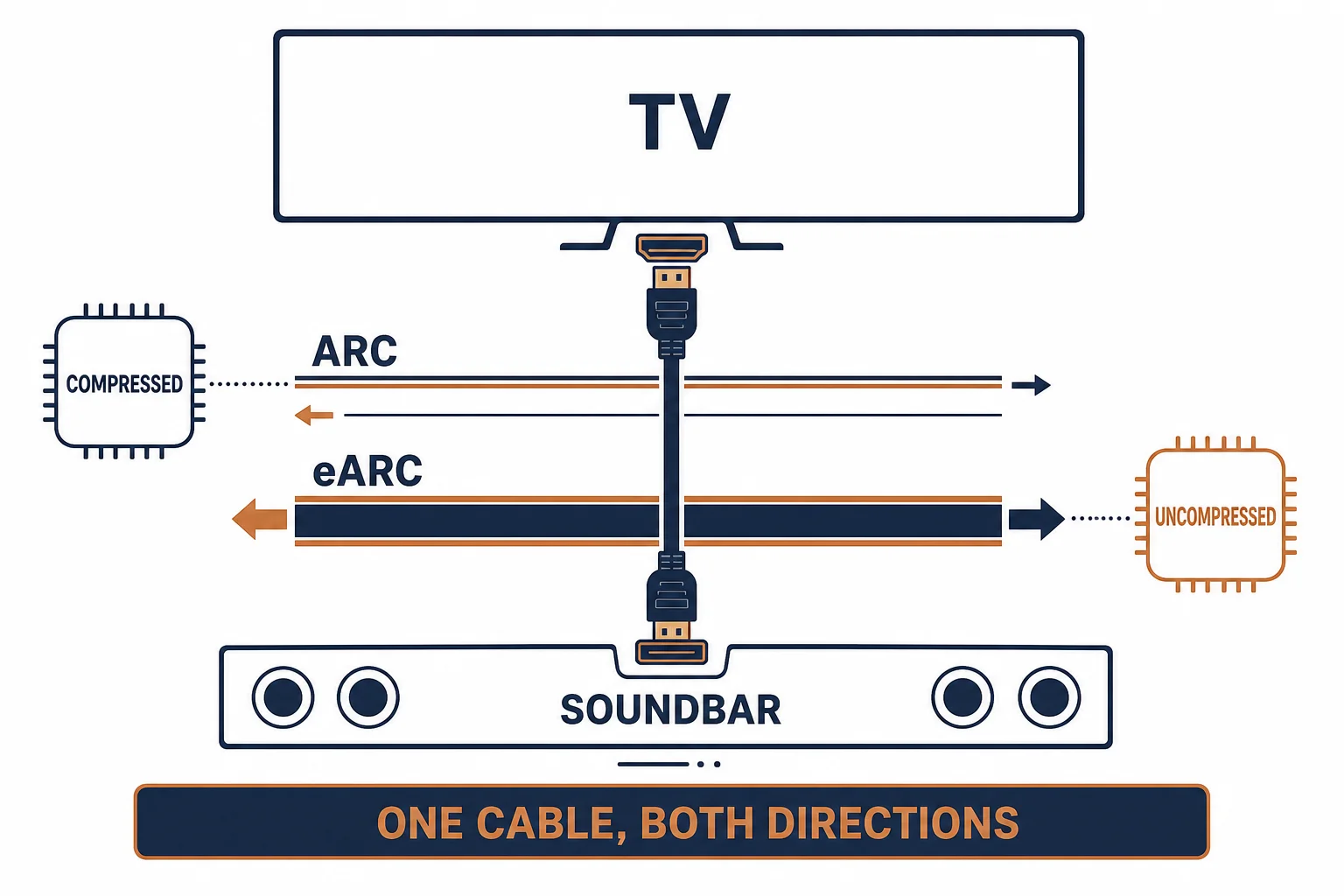
eARC is the enhanced Audio Return Channel: it uses the same HDMI cable as ARC but carries far more audio bandwidth, enough for lossless and object-based formats from a television to a soundbar or receiver. The cable requirement is modest – the feature requirement is not: both devices must support eARC.
This is the eARC guide: what changes against ARC, the cable and setting requirements, and the checks when lossless audio does not appear.
What Changes Against ARC
| The feature | ARC | eARC |
|---|---|---|
| Bandwidth | Limited | Much higher |
| Formats | Compressed 5.1 | Lossless and object-based |
| Cable | High Speed | High Speed with Ethernet |
| Setup | One setting | Both devices plus the setting |
The cable barely changes; the capability of the two devices and their settings decide everything.
The Requirements
- eARC support on the TV and on the soundbar or receiver
- A cable with the Ethernet channel
- The TV's digital audio output set to passthrough or eARC
- CEC enabled where the devices require it
The passthrough setting is the one most often missed: a TV set to PCM will send stereo over eARC happily.
Diagnosing No Lossless
| The symptom | The check |
|---|---|
| Receiver shows PCM | TV output setting |
| Compressed only | eARC not enabled at one end |
| No audio at all | CEC or cable |
| Dropouts | Cable or length |
The order is settings, then devices, then cable – the reverse of what most people try.
Standards and Verification
| The reference | The relevance |
|---|---|
| HDMI 2.1 | eARC definition |
| IEC 60958 | Digital audio interfaces |
| HDCP | Protection along the return path |
Per-device eARC support is not provided in the knowledge base. Check both device specifications; eARC is not universal even on HDMI 2.1 hardware.
Practical Notes
The return channel only exists on one specific port on most televisions, usually labelled ARC or eARC. Plugging into a different HDMI input produces no audio return at all, which is a five-second check worth doing first.
Real-World Applications
The soundbar upgrade
A soundbar and television both supporting eARC: lossless audio from a streaming app appeared once passthrough was enabled – the cable had been adequate all along.
The wrong port
A receiver connected to an HDMI input without ARC labelling: no return audio. Moved to the eARC port – the connection had never been right.
The PCM default
A television defaulting to PCM: everything arrived as stereo. The output set to passthrough – the receiver locked onto the film's format.
Related reading: Surround formats over HDMI — blogs/news/hdmi-surround-sound-cable
Related reading: ARC in practice — blogs/news/hdmi-arc-cable-buying
Frequently Asked Questions
What is eARC?
An enhanced audio return channel carrying lossless and object-based audio over the same HDMI cable.
Do I need a new cable?
Usually not – a High Speed cable with the Ethernet channel is sufficient.
Why is my audio still stereo?
The TV's output is set to PCM rather than passthrough.
Which port do I use?
The one labelled ARC or eARC; other inputs do not carry the return channel.
Sourcing cables for a project, a store, or a private-label line? Contact our B2B sales team for specifications, certification evidence, and volume terms – FOB and CIF options available. Request a quote or sample.