
HDMI Cable Extender: Powered Extension
Quick answer / TL;DR: Short answer: use an extender pair for HDMI runs beyond about 10-15 m at 4K, or where the route already has Cat6. It is point-to-point – no switch or router in the path – and usually needs power at one or both ends. Match the extender's resolution and HDCP support to the source, and test at the target mode before the cable goes into a wall.
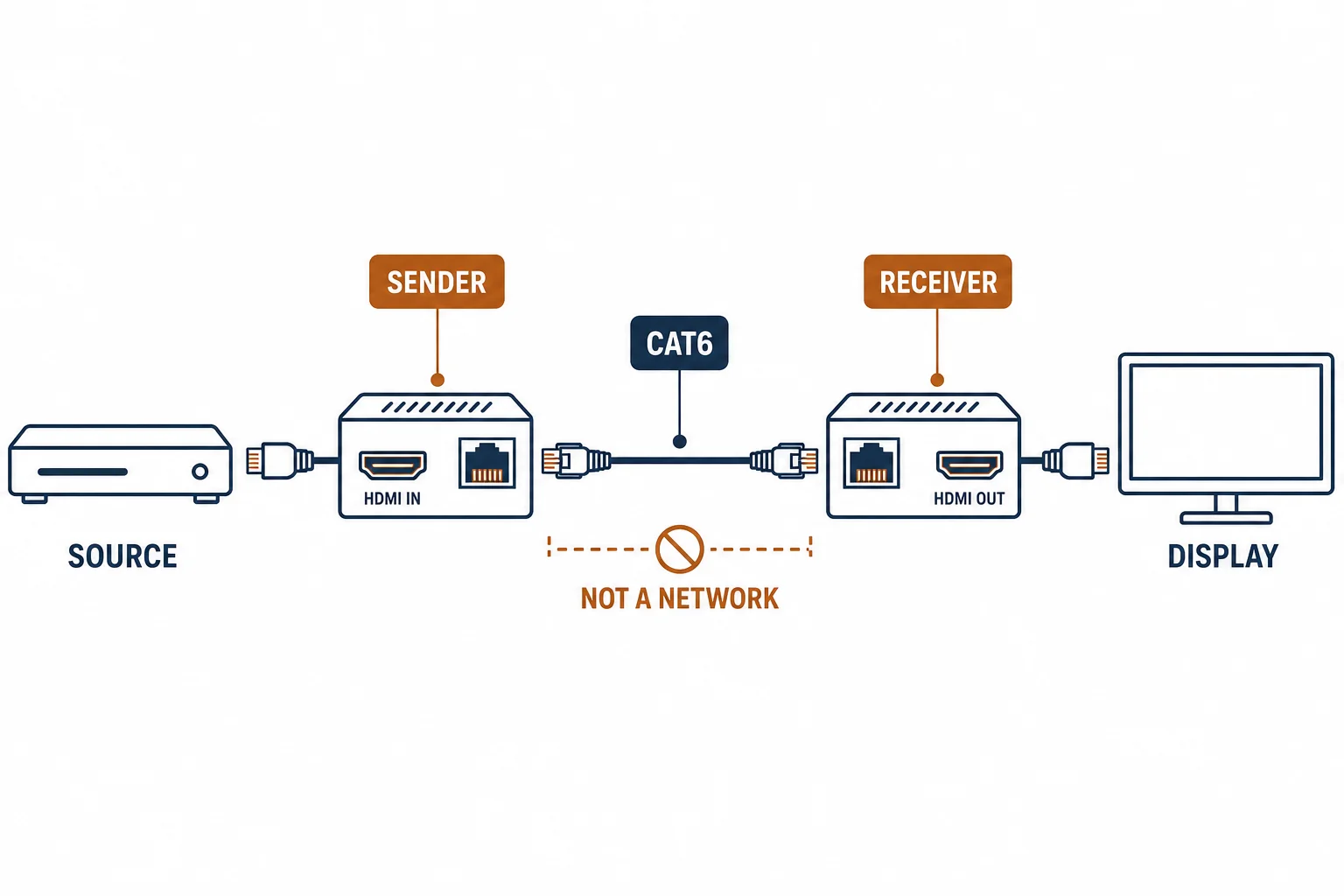
An HDMI cable extender is a powered pair that carries the signal beyond what a passive cable can reach, usually over Cat6 or fiber. It differs from an extension cable in one decisive way: there is electronics in the path, so distance becomes a specification rather than a gamble.
This is the extender guide: how the pair works, the carrier options, and the installation rules that decide whether a long HDMI link is reliable.
How the Pair Works
| The element | The function |
|---|---|
| Sender | Converts HDMI to a carrier signal |
| Carrier | Cat6 or fiber, point to point |
| Receiver | Converts back to HDMI |
| Power | One or both ends |
The pair replaces the long cable with two short ones and a carrier in between, which is why distance stops being the constraint.
The Carrier Options
- Cat6: cheapest for in-building runs, needs solid cable and no couplers
- Fiber: longest reach and immune to interference
- Hybrid: HDMI over fiber with power over the same cable
- Direct active cable: simpler, but fixed length
The carrier choice follows the route: existing Cat6 makes the copper extender obvious, a new exterior run favours fiber.
The Rules
| The rule | The reason |
|---|---|
| Point to point | Not an IP stream |
| No switch in the path | The carrier is not a network |
| Power at the ends | Most pairs need it |
| Test at the mode | Resolution and HDCP must pass |
The rules are simple and each one is a common installation error.
Standards and Verification
| The reference | The relevance |
|---|---|
| HDMI specification | Signal and HDCP |
| TIA-568.2-D | The Cat6 carrier |
| Field test | The display reporting the mode |
Per-SKU distance and resolution limits are not provided in the knowledge base. The pairing is product-specific; verify the supported combination before installation.
Practical Notes
Extenders need power, and power is the part people forget: a socket at the display end is often the difference between a working installation and a return visit. Check before the wall is closed.
Real-World Applications
The projector run
A projector 20 m from the rack: an extender pair over Cat6 already in the ceiling – 4K at 60 Hz stable, tested before the ceiling tiles went back.
The switch mistake
An extender routed through a network switch to reuse cabling: no picture. A direct cable pulled – the carrier is point to point.
The power omission
A receiver with no nearby socket: the installation stalled until a power outlet was added behind the display – the plan had assumed bus power that the pair did not provide.
Related reading: The passive extension trap — blogs/news/hdmi-extension-cable
Related reading: HDMI over Cat6 in detail — blogs/news/hdmi-over-ethernet
Frequently Asked Questions
What is an HDMI cable extender?
A powered sender and receiver pair that carries HDMI over Cat6 or fiber beyond passive cable reach.
Can it go through a switch?
No – it is point to point, not a network stream.
How far can it reach?
Commonly 30-100 m depending on the product and the mode.
Does it need power?
Usually yes, at one or both ends.
Sourcing cables for a project, a store, or a private-label line? Contact our B2B sales team for specifications, certification evidence, and volume terms – FOB and CIF options available. Request a quote or sample.