
Ethernet Splitter vs Switch
Quick answer / TL;DR: Short answer: a splitter physically splits one cable into two paths – the devices share the link and cannot communicate simultaneously; a switch creates separate collision domains so every device runs at full speed. Buy a switch unless you have a single low-traffic device to add and no power outlet for anything active.
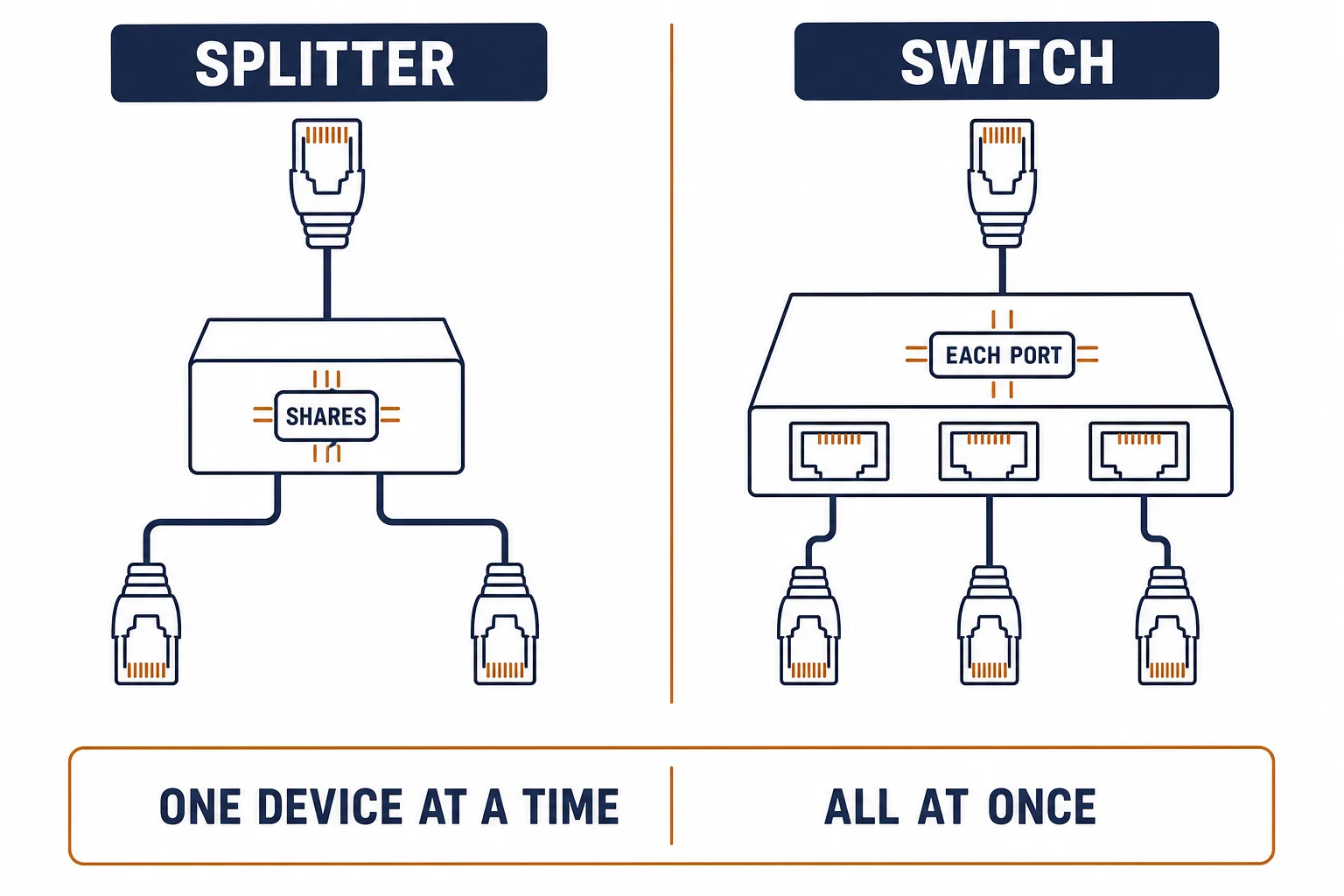
An ethernet splitter and a switch both let two devices share one cable, and they do it in opposite ways: the splitter shares the link, so only one device can talk at a time; the switch gives each device its own conversation. The price difference is small and the performance difference is not.
This is the comparison: what each device does electrically, when a splitter is acceptable, and the arithmetic that decides port count.
What Each Does
| The device | The mechanism | The result |
|---|---|---|
| Splitter | Wires two ports onto one cable | One device at a time, shared rate |
| Switch | Stores and forwards frames per port | Full rate per port, simultaneous |
The distinction is electrical, not marketing: a splitter has no electronics, and a switch is a small computer with a MAC table.
The Port Arithmetic
- Count devices, then add one spare
- A 5-port switch serves four devices plus the uplink
- Two splitters in series rarely work as expected
- PoE does not pass through a passive splitter
The arithmetic usually settles it: once you need three devices, the switch is the only sensible answer.
When a Splitter Is Acceptable
| The situation | The verdict |
|---|---|
| One printer used occasionally | Acceptable |
| A second device that never runs concurrently | Marginal |
| Two devices that must both be online | No – use a switch |
| Any PoE device | No – power will not pass |
Standards and Verification
| The reference | The relevance |
|---|---|
| IEEE 802.3 | Ethernet and switching behaviour |
| TIA-568.2-D | Cabling that feeds either device |
| PoE standards | Why passive splitters cannot carry power |
Per-SKU splitter wiring is not provided in the knowledge base. The shared-link behaviour is inherent to passive splitters; confirm any product's wiring before relying on it.
Real-World Applications
The home office
A laptop and a printer on one wall outlet: a 5-port switch – both online, full rate, the spare port ready for a camera.
The tradesman's splitter
A splitter used to add a printer: workable until both devices needed the link. Replaced with a switch – the shared-link limit finally visible.
The PoE camera
A camera fed through a passive splitter: no power, no link. The splitter removed and a PoE switch port used – the power path restored.
Related reading: The panel-side alternative? Read patch panel versus switch — blogs/news/patch-panel-vs-switch
Related reading: The cable that feeds either device? Read ethernet cable versus Cat6 — blogs/news/ethernet-cable-vs-cat6
Frequently Asked Questions
Is an ethernet splitter as good as a switch?
No – a splitter shares one link between devices, while a switch gives each port its own full-rate path.
Can two devices use the internet at once through a splitter?
Not simultaneously on a passive splitter – the link is shared, so traffic collides or is switched by nothing.
Do I need a powered switch?
Most switches have a power adapter or draw power from the uplink. Only PoE switches deliver power to devices.
How many ports should I buy?
Devices plus one spare, and remember one port is used by the uplink cable.
Sourcing cables for a project, a store, or a private-label line? Contact our B2B sales team for specifications, certification evidence, and volume terms – FOB and CIF options available. Request a quote or sample.