
Cat5e Extension Cable: Adding Length
Quick answer / TL;DR: Short answer: an extension adds a joint and its insertion loss to the channel. Keep the total under 100 m including every cord and joint, use a rated coupler rather than an improvised connection, and test the channel afterwards. For a permanent move, run a longer cable or move the outlet – an extension is a temporary answer.
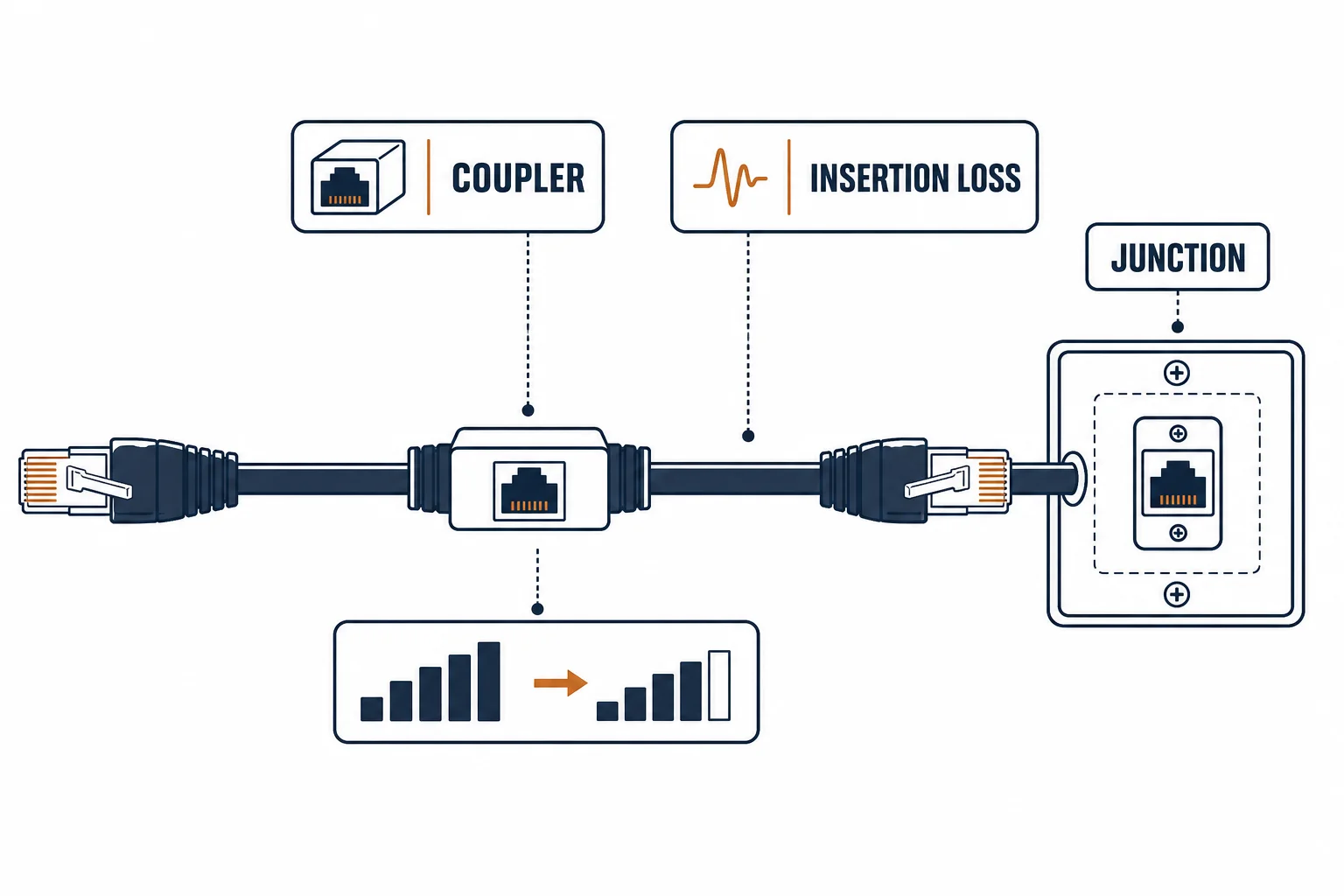
A Cat5e extension cable adds length to an existing run – usually a cord with a plug and socket, or a coupler joining two cords. It solves a real problem when a device moves a metre and the wall outlet does not, and it costs a joint in a channel that has a fixed budget.
This is the extension guide: what the joint costs, the arithmetic that keeps the channel compliant, and the cases where pulling a longer cable is the better answer.
What the Joint Costs
| The cost | The effect | The note |
|---|---|---|
| Insertion loss | Small per joint | Compounds on long runs |
| Reflection | Impedance discontinuity | Worse at higher categories |
| Mechanical | Two plugs, one body | A handling failure point |
| Access | Hidden behind furniture | Hard to find later |
The electrical cost is modest; the practical cost is that the joint is usually in the least accessible place.
The Arithmetic
- Count every segment: permanent link, cord, extension, cord
- Keep the total under 100 m
- Leave margin for the extra two plugs
- Test the complete channel, not the segments
The arithmetic is the same as any channel calculation – the extension simply adds two connections to it.
When an Extension Is Right
| The situation | The answer |
|---|---|
| Device moved a metre | Extension, tested |
| Rented space, no alterations | Extension |
| Temporary layout | Extension |
| Permanent move | Longer cable or new outlet |
The distinction is permanence: an extension is a repair for a changed layout, not a design.
Standards and Verification
| The reference | The relevance |
|---|---|
| TIA-568.2-D | Channel and connecting hardware |
| IEC 60603-7 | The jack interface |
| Field test | Channel test including the extension |
Per-SKU coupler loss is not provided in the knowledge base. The principle is standard; test the assembled channel rather than summing component claims.
Practical Notes
A coupler that hangs on the end of a cord puts strain on both plugs. Fix it to something – a clip or a velcro tie – and the joint will outlive the device it serves.
Real-World Applications
The moved desk
A desk moved two metres along a wall: a 3 m Cat5e cord and a rated coupler, the channel tested at 1 GbE – the move done in ten minutes without touching the building.
The over-length channel
A 92 m run extended by 12 m of cords and a coupler: the channel over 100 m and the link unstable. The extension removed and a small switch installed at the far end – the budget respected.
The hanging joint
A coupler left hanging behind a desk: the plug latch broken within a month. Clipped to the desk leg – the strain removed and the joint survived.
Related reading: The joints a channel can carry — blogs/news/ethernet-coupler-junction-box
Related reading: The budget line this extends — blogs/news/cat5e-network-cable-line
Frequently Asked Questions
Does an extension cable reduce speed?
It adds loss and a reflection point. On short runs the effect is invisible; on marginal ones it can cost the link its rate.
Can I extend a run beyond 100 m?
No – the channel limit includes every segment and joint.
Coupler or a longer cable?
A longer cable for anything permanent; a coupler for a temporary move.
How do I test an extended run?
Channel test with the extension in place, not a continuity check of each part.
Sourcing cables for a project, a store, or a private-label line? Contact our B2B sales team for specifications, certification evidence, and volume terms – FOB and CIF options available. Request a quote or sample.