
A/V Cables: The Category Map
Quick answer / TL;DR: Short answer: A/V cables divide into digital video (HDMI, DisplayPort), analog video (composite/component RCA, VGA), and audio (RCA, 3.5mm, XLR, speaker). Buy by family first, then by the specification that family carries: HDMI by version and length, DisplayPort by version and certification, RCA by shield and impedance, 3.5mm by pole count.
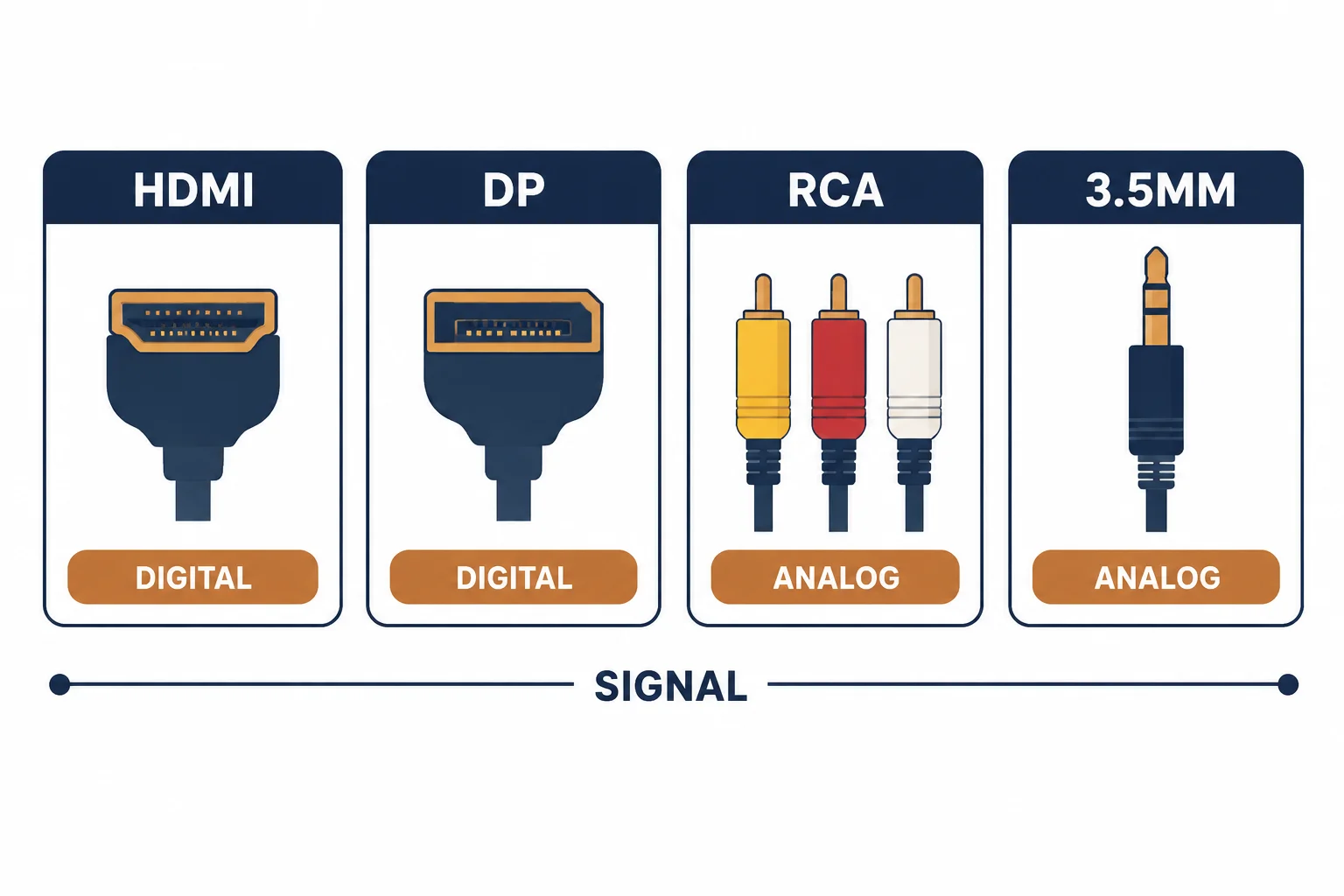
A/V cables is a shelf label, not a specification: under it sit HDMI, DisplayPort, RCA, 3.5mm, and a dozen legacy variants, split across two signal worlds – digital and analog. Buyers who treat the category as one product overpay in one direction and under-specify in another. This guide maps the shelf.
This is the category map: the four families, the digital/analog split, and the one line each purchase needs.
The Four Families
| The family | The signal | The specification that matters |
|---|---|---|
| HDMI | Digital A/V | Version, length, certification |
| DisplayPort | Digital A/V | Version, link rate, certification |
| RCA | Analog or digital audio/video | Shield, 75-ohm for digital coax |
| 3.5mm | Analog audio | Pole count (TRS vs TRRS) |
The table is the shelf's real organization: family, then the one specification that changes the purchase. Everything else is packaging.
The Digital and Analog Split
- Digital families carry the signal as data – the cable either passes the format or does not
- Analog families carry a voltage – the cable quality shows as noise and loss
- Mixing worlds needs conversion, not a passive adapter
- The split decides the failure mode: digital fails abruptly, analog degrades gradually
The split explains the support calls: a digital cable that is slightly out of spec shows nothing, while an analog cable in the same condition shows a softer picture.
The Purchase Line
| The need | The line |
|---|---|
| A TV link | HDMI 2.1, 48 Gbps, certified, 2 m |
| A monitor link | DisplayPort 1.4, VESA certified |
| A stereo audio run | RCA, shielded coax, 1 m |
| A headset link | 3.5mm TRRS, 4-pole |
Standards and Verification
| The reference | The relevance |
|---|---|
| HDMI 2.1 specification | Bandwidth tiers and certification |
| VESA DisplayPort standard | Link rates and certification |
| IEC 60958 / S/PDIF | Digital audio over coax and optical |
Per-SKU bandwidth claims and certification numbers are not provided in the knowledge base. The family structure is standard; confirm claims against the certification listing, not the packaging.
Real-World Applications
The living-room upgrade
A new 4K/120 console and TV: one certified HDMI 2.1 cable at the right length – the family and the version both stated in the order.
The studio desk
A monitor on DisplayPort and nearfields on balanced TRS: two families, two specifications – the desk cabled by the map rather than by what was in the drawer.
The legacy DVD player
A composite RCA trio into an older TV: the analog family, the color code read – the correct three cables, no converter needed.
Related reading: The video families in more depth? Read the video cable types guide — blogs/news/video-cable-types
Related reading: The RCA color code explained? Read the yellow-red-white naming guide — blogs/news/rca-cord-naming
Frequently Asked Questions
What are A/V cables?
The family of cables carrying audio and video: HDMI and DisplayPort for digital, RCA and 3.5mm for analog audio/video. The category is a shelf label – each family has its own specification.
Are all A/V cables the same?
No – families differ in signal type and specification. HDMI carries version-dependent bandwidth; RCA analog depends on shielding; 3.5mm on pole count.
Which A/V cable do I need for a TV?
HDMI, at the version the source and display support, in a certified build at the shortest length that reaches.
Can I convert between A/V families?
Only with an active converter for digital-to-analog changes. Passive adapters change connectors, not signal types.
Sourcing cables for a project, a store, or a private-label line? Contact our B2B sales team for specifications, certification evidence, and volume terms – FOB and CIF options available. Request a quote or sample.