
HDMI Coupler: The Joint in the Chain
Quick answer / TL;DR: Short answer: an HDMI coupler joins two cables at the cost of two extra connections, which matters most at 4K and above. Use it for a panel-mounted socket, a repair or a test bench, and mount it so the joint carries no weight. For 4K at 60 Hz or higher, or for any permanent run, use a single cable of the right length.
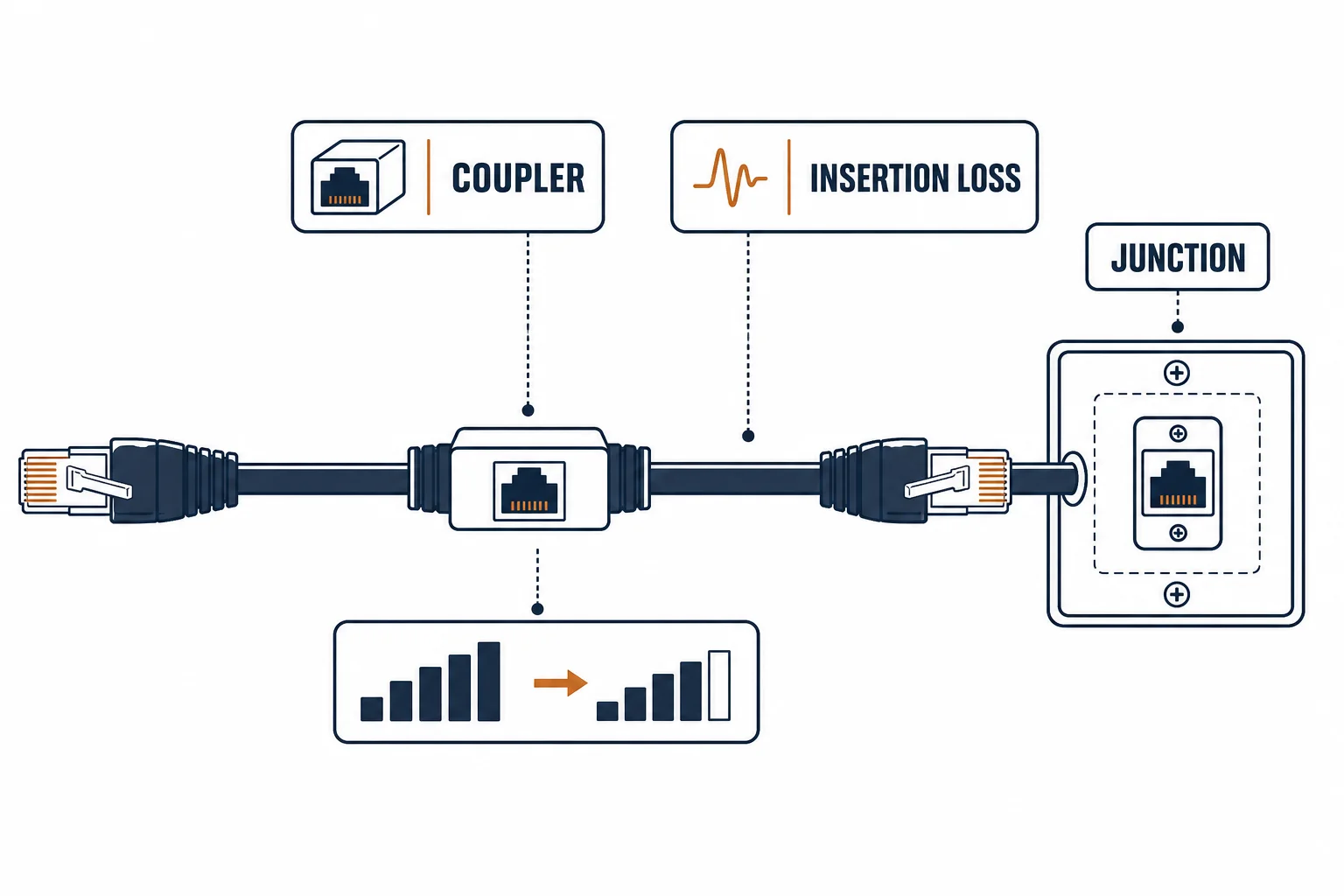
An HDMI coupler joins two cables into one run. It is useful for a panel-mounted socket or a quick repair, and it costs signal margin at exactly the bandwidths where margin is scarce: 4K at 60 Hz and above.
This is the coupler guide: what the joint does to the signal, the panel-mount case it genuinely serves, and the situations where only a single cable will do.
What the Joint Costs
| The cost | The effect | The symptom |
|---|---|---|
| Two connections | Reflection points | Sparkle, dropouts |
| Contact resistance | Attenuation | Mode fallback |
| Mechanical | Weight on two plugs | Intermittent link |
| Shielding | Gap at the joint | Sensitivity to interference |
Every cost is small and they compound, which is why a coupler that works at 1080p can fail at 4K.
Where a Coupler Helps
- A panel-mounted socket in a wall plate or rack
- A repair where replacing the cable is impossible
- A temporary link for a presentation
- A test bench where cables are swapped often
The pattern is access: the coupler turns a fixed cable into a socket that can be used and replaced.
Where It Should Not Be Used
| The situation | The answer |
|---|---|
| 4K at 60 Hz or above | Single cable |
| Long run | Active or fiber cable |
| Behind a wall | Panel socket, not a loose coupler |
| Permanent installation | Single cable |
The rule is bandwidth and permanence: high modes and long life both argue against joints.
Standards and Verification
| The reference | The relevance |
|---|---|
| HDMI specification | Signal integrity |
| HDCP | Must pass the joint |
| Field test | Display reporting the mode |
Per-SKU coupler construction is not provided in the knowledge base. The joint cost is inherent; test at the target mode rather than assuming.
Practical Notes
A coupler hanging on two plugs puts load on both. Mount it – in a panel, a bracket or a clip – and the joint stops being the weakest mechanical point in the run.
Real-World Applications
The wall plate
A media wall with an HDMI socket: a coupler behind the plate turning the in-wall cable into a socket – the display connected with a short cable from there.
The 4K failure
Two short cables joined by a coupler to reach a new screen position: sparkle at 4K. A single cable of the right length used – the joint had been invisible at 1080p.
The test bench
A bench where cables are swapped constantly: a panel-mounted coupler saved wear on the source port – the joint in a place designed for one.
Related reading: The panel socket it serves — blogs/news/hdmi-patch-panel
Related reading: The extension cable alternative — blogs/news/hdmi-extension-cable
Frequently Asked Questions
Does an HDMI coupler reduce quality?
It adds connections and can cause dropouts, particularly at 4K and above.
Can I use one to extend a cable?
For short additions at 1080p; otherwise use a single cable or an extender.
Are panel-mount couplers better?
They are mechanically sounder because the joint is fixed.
Will it pass HDCP?
Yes, if the signal survives – which is the same condition as the picture.
Sourcing cables for a project, a store, or a private-label line? Contact our B2B sales team for specifications, certification evidence, and volume terms – FOB and CIF options available. Request a quote or sample.