
HDMI Surround Sound: The Audio Path
Quick answer / TL;DR: Short answer: HDMI carries surround formats including lossless ones; the limits are usually settings, not cable. Set the source to bitstream rather than PCM, enable the receiver's surround mode, and use eARC where the TV is the source. Any High Speed cable carries the audio – the video mode is what demands a higher rating.
HDMI carries surround sound as embedded audio, including the lossless formats that optical and coaxial cannot: Dolby TrueHD, DTS-HD Master Audio and the object-based formats. Whether you hear them depends on three settings and one cable – and the cable is rarely the problem.
This is the surround-sound guide: the formats, the settings that block them, and the ARC/eARC path when the television is the source.
The Formats HDMI Carries
| The format | The type | The cable |
|---|---|---|
| Dolby Digital / DTS | Compressed 5.1 | Any High Speed |
| TrueHD / DTS-HD MA | Lossless | Any High Speed |
| Dolby Atmos / DTS:X | Object-based | High Speed, eARC for TV sources |
The cable carries bitstreams; the receiver decodes them. Only bandwidth-heavy video pushes the cable rating.
The Settings That Block It
- Source output set to PCM: stereo only
- TV audio output set to stereo
- Receiver in a stereo mode
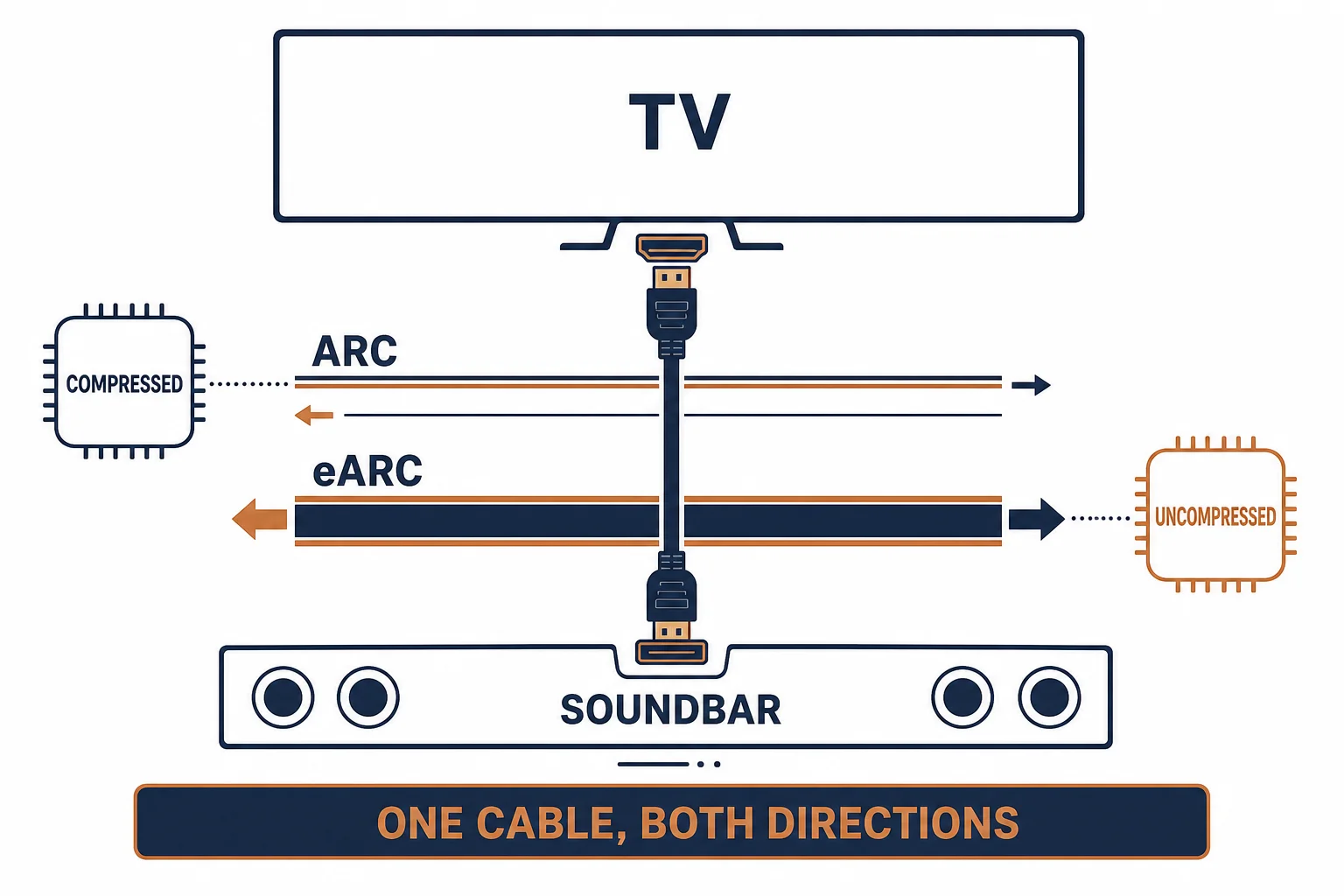
- ARC instead of eARC for lossless from a TV app
The settings chain is where most 'no surround' complaints end, and each link must be set correctly.
The ARC and eARC Path
| The path | The formats | The cable |
|---|---|---|
| ARC | Compressed 5.1 | High Speed |
| eARC | Lossless and object-based | High Speed with Ethernet |
| Optical | Compressed 5.1 only | Optical cable |
eARC exists because ARC could not carry the lossless formats that streaming services now deliver.
Standards and Verification
| The reference | The relevance |
|---|---|
| HDMI 2.0 / 2.1 | ARC and eARC definitions |
| IEC 60958 | Digital audio interfaces |
| Dolby / DTS specifications | The formats and their bitrates |
Per-device format support is not provided in the knowledge base. The standards are published; check the receiver and TV specifications for the specific format.
Practical Notes
A receiver usually displays the incoming format. If it shows 'PCM 2.0' when a film is playing, the problem is upstream – at the source or the TV – and no cable change will fix it.
Real-World Applications
The console and receiver
A console set to PCM: stereo at the receiver. Changed to bitstream – the receiver locked onto Dolby Digital and the surrounds came alive.
The TV app
A streaming app on the television sending lossless audio: ARC could not carry it. eARC enabled on both devices – the lossless format appeared.
The optical fallback
An older receiver with no HDMI: optical used, compressed 5.1 delivered – the format ceiling accepted rather than worked around.
Related reading: The eARC path in detail — blogs/news/hdmi-earc-cable
Related reading: ARC cable buying — blogs/news/hdmi-arc-cable-buying
Frequently Asked Questions
Does HDMI carry surround sound?
Yes, including lossless and object-based formats.
Why am I only getting stereo?
Usually a PCM setting at the source or the TV, not the cable.
Do I need a special cable for Atmos?
No – the audio fits any High Speed cable; video drives the rating.
ARC or eARC?
eARC for lossless and object-based audio, especially from TV apps.
Sourcing cables for a project, a store, or a private-label line? Contact our B2B sales team for specifications, certification evidence, and volume terms – FOB and CIF options available. Request a quote or sample.