
USB to LAN Cable: The Wired Link Restored
Quick answer / TL;DR: Short answer: choose the adapter's speed class (1G or 2.5G) against the network, and the host connector (USB-A or USB-C) against the machine; USB 3.x is required for 2.5G. Check driver support for the OS – most current systems have built-in drivers, older ones may need the vendor's. The cable to the router is a normal Cat6 patch cord.
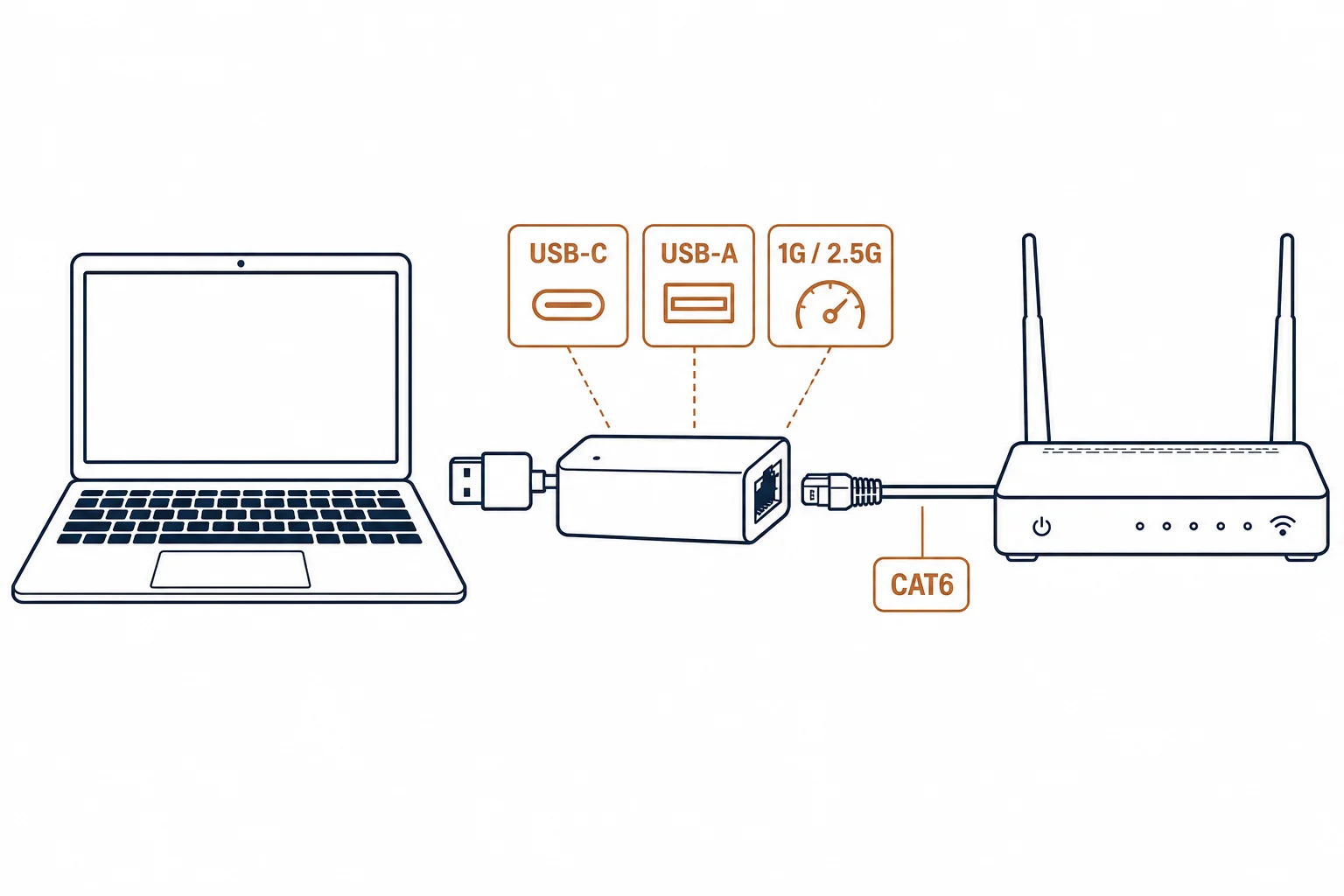
A USB to LAN adapter adds a wired ethernet port to a machine that lacks one – the laptop without RJ45, the thin client, the tablet dock. Buying one is a short decision with three variables: the speed class, the host connector, and the driver situation.
This is the adapter guide: the classes, the host side, and the checks that prevent a driver surprise.
The Three Variables
| The variable | The options | The check |
|---|---|---|
| Speed class | 1G, 2.5G | The switch port it will reach |
| Host connector | USB-A, USB-C | The machine's port |
| Driver | Built-in, vendor | The OS version and architecture |
The three variables are independent: a 2.5G adapter on a USB 2.0 port runs at 1G or less, and a modern adapter on an old OS may need a driver download before it works.
The Speed Reality
- 1G adapters suit most office and home networks
- 2.5G adapters need a 2.5G switch port and USB 3.x bandwidth
- The adapter negotiates down to the slowest link in the chain
- Real throughput sits below the headline class – overhead is normal
The negotiation rule prevents most disappointment: the adapter cannot exceed the switch, the port, or the cable.
The Buying Checks
| The check | The question |
|---|---|
| Chipset support | Are drivers available for the target OS? |
| Power | Does the adapter need external power at 2.5G? |
| Build | Metal shell and strain relief for a portable adapter |
| LEDs | Link and activity indicators for troubleshooting |
Standards and Verification
| The reference | The relevance |
|---|---|
| IEEE 802.3 | The ethernet standards the adapter joins |
| USB 3.x specifications | The host bandwidth the class needs |
| OS driver documentation | The support matrix to check before ordering |
Per-SKU chipset and driver support are not provided in the knowledge base. The class structure is standard; verify the adapter's OS support with the vendor's documentation.
Real-World Applications
The laptop without a port
A thin laptop on a wired-only office network: a USB-C 1G adapter – the wired link restored without a dock.
The 2.5G upgrade
A NAS and a laptop on a 2.5G switch: a 2.5G adapter on a USB 3 port – the negotiated link confirmed at the switch.
The driver surprise
An older OS with no built-in driver: the vendor's package downloaded first – the adapter installed in minutes.
Related reading: The data families this adapter joins? Read the data cable types guide — blogs/news/data-cable-types
Related reading: The USB-C line behind the host side? Read the USB-C OEM guide — blogs/news/usb-c-cable-oem
Frequently Asked Questions
What is a USB to LAN cable?
An adapter that adds a wired ethernet port to a device over USB – a USB host connector on one side, an RJ45 socket on the other.
Do USB to LAN adapters need drivers?
Most current operating systems include drivers; older ones may need the vendor's package. Check the support matrix before buying.
Can a USB adapter reach 2.5G?
Only with a 2.5G adapter, a USB 3.x port, and a 2.5G switch port. The link negotiates to the slowest element.
Is the adapter as good as a built-in port?
For most uses yes – the difference is CPU overhead and driver quality. Built-in remains preferable where available.
Sourcing cables for a project, a store, or a private-label line? Contact our B2B sales team for specifications, certification evidence, and volume terms – FOB and CIF options available. Request a quote or sample.