
HDMI ARC Cable: The Return Channel
Quick answer / TL;DR: Short answer: any certified HDMI cable with Ethernet/ARC support will carry ARC; eARC's higher bandwidth needs a certified high-speed cable. Both devices must support the feature, the receiver's input must be the ARC-labeled port, and CEC must be enabled. Most failures are settings or port choice, not the cable.
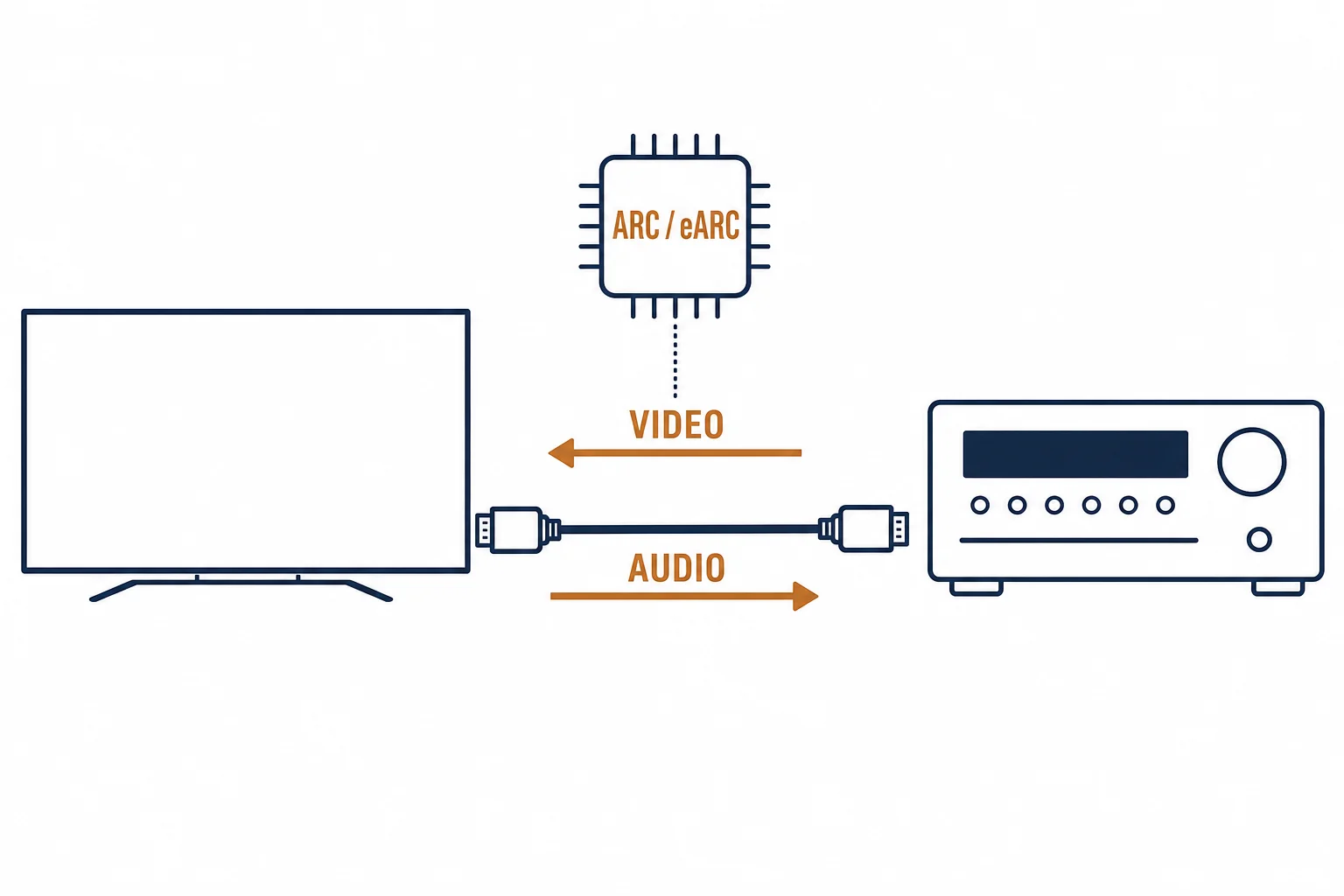
HDMI ARC lets one cable carry video to the TV and audio back to the receiver – the return channel that removes the optical cable from most living rooms. The cable requirement is modest; the setup requirement is not. This guide covers both for buyers specifying a cable.
This is the ARC buying guide: what the channel carries, the cable tier needed, and the settings that make it work.
What ARC and eARC Carry
| The feature | The audio | The cable |
|---|---|---|
| ARC | Compressed 5.1 – Dolby Digital, DTS | Standard high-speed HDMI |
| eARC | Lossless formats – TrueHD, DTS-HD MA | Certified high-speed / 2.1 class |
The table's second row is the upgrade reason: eARC carries the formats ARC compresses. The cable tier follows the format the system needs.
The Setup Sequence
- Use the TV's ARC/eARC-labeled HDMI port – usually HDMI 2 or 3
- Use the receiver's ARC-labeled output
- Enable CEC on both devices (brand names vary)
- Select the receiver's TV audio input; set the TV's digital audio out to the matching format
The sequence is where most ARC calls end: the cable was fine, the port or the CEC setting was not.
The Buying Checks
| The check | The question |
|---|---|
| Certification | Is the cable certified for the bandwidth tier? |
| Length | Within the tier's passive limit, or AOC beyond |
| Direction | ARC is bidirectional – AOC's direction matters |
| Version | eARC needs the higher tier |
Standards and Verification
| The reference | The relevance |
|---|---|
| HDMI 2.1 specification | ARC and eARC definitions, cable tiers |
| CEC | The control channel the feature depends on |
| Certification program | The evidence behind a bandwidth claim |
Per-device menu names are not provided in the knowledge base. The ARC definitions are standard; confirm the specific TV and receiver settings in their manuals.
Real-World Applications
The soundbar upgrade
A TV and soundbar on one HDMI cable: ARC enabled, CEC on – the optical cable retired, the remote volume working through CEC.
The lossless system
A receiver needing TrueHD: eARC on both devices and a certified high-speed cable – the format arriving at full quality.
The wrong port
A receiver plugged into a non-ARC HDMI input: no return audio – the port relabeled, the cable vindicated.
Related reading: The extractor route for non-ARC systems? Read the ARC extractor guide — blogs/news/hdmi-arc-extractor-buying
Related reading: The length tiers behind the cable? Read the HDMI length guide — blogs/news/hdmi-cable-length-buying
Frequently Asked Questions
Do I need a special cable for HDMI ARC?
ARC works on standard high-speed HDMI cables; eARC needs a certified high-speed or 2.1-class cable for the higher bandwidth.
Why is ARC not working?
Usually the port choice or CEC: both devices must use their ARC-labeled ports and have CEC enabled. The cable is rarely the cause.
What is the difference between ARC and eARC?
ARC carries compressed surround formats; eARC carries lossless ones at higher bandwidth.
Does ARC work through an AOC cable?
It can, but AOC is directional – the cable's source and display ends must match the installation, and the product must support the return channel.
Sourcing cables for a project, a store, or a private-label line? Contact our B2B sales team for specifications, certification evidence, and volume terms – FOB and CIF options available. Request a quote or sample.