
4K HDMI Cable: The Real Requirement
Quick answer / TL;DR: Short answer: 4K at 30 Hz fits within High Speed (about 10 Gbps); 4K at 60 Hz with HDR needs Premium High Speed (18 Gbps); 4K at high refresh needs Ultra High Speed (48 Gbps). Buy for the mode you will actually run, and test with a 4K HDR source rather than trusting the label.
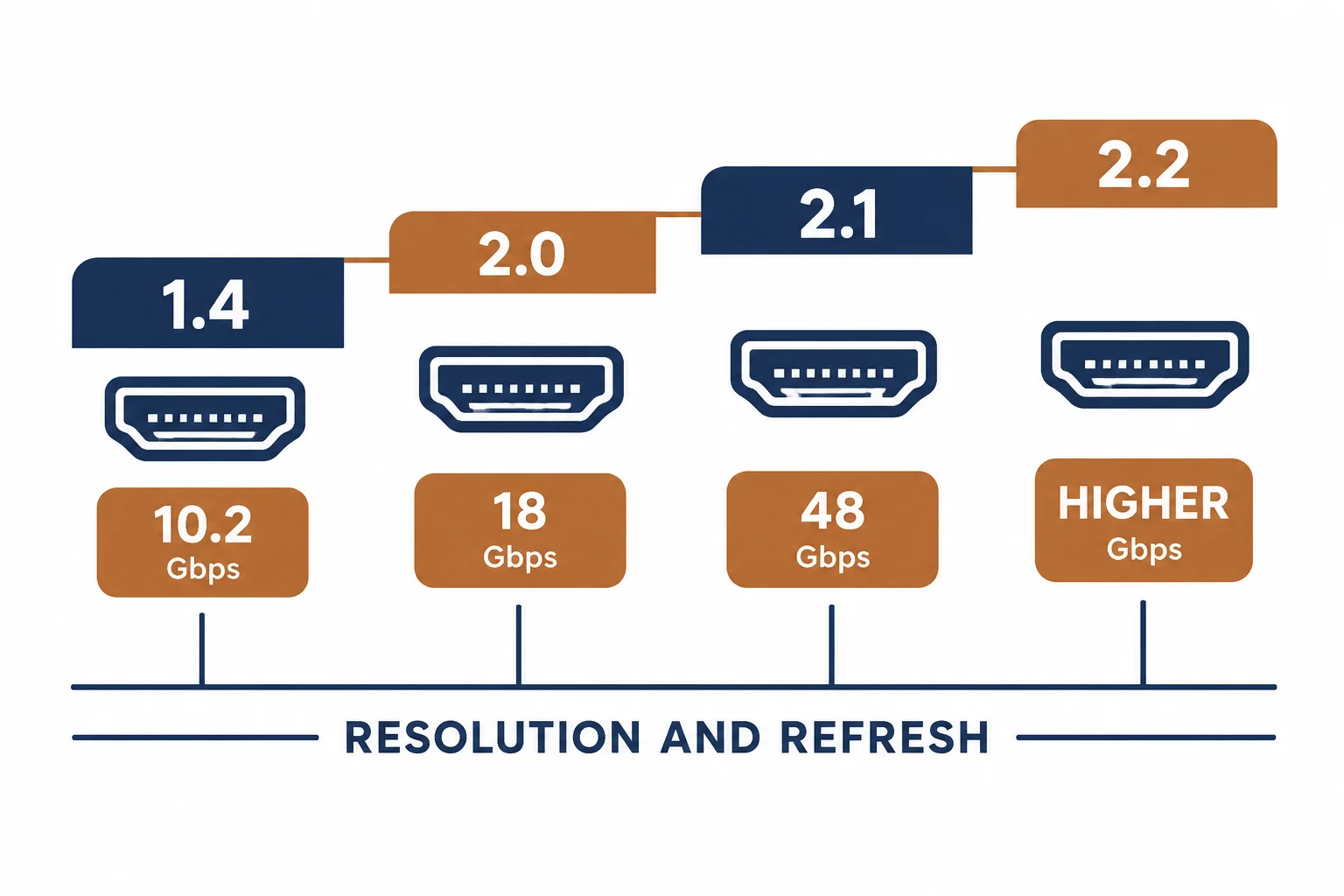
4K does not describe one signal: it describes a resolution that can be carried at 30 Hz, 60 Hz or higher, with or without HDR, and each combination needs more bandwidth. A cable that manages 4K at 30 Hz may fail at 60 Hz, which is why '4K compatible' on a box proves very little.
This is the 4K cable guide: the bandwidth arithmetic, the HDR premium, and the checks that tell you whether the cable or the display is the limit.
The Bandwidth Arithmetic
| The mode | The bandwidth | The cable |
|---|---|---|
| 4K 30 Hz | About 8-10 Gbps | High Speed |
| 4K 60 Hz 4:4:4 | About 18 Gbps | Premium High Speed |
| 4K 60 Hz HDR | 18 Gbps | Premium High Speed |
| 4K 120 Hz | Over 30 Gbps | Ultra High Speed |
The table is the buying decision: resolution alone is not enough, because refresh and chroma sampling multiply the requirement.
The HDR Premium
- HDR adds metadata but not bandwidth by itself
- HDR at 60 Hz usually pushes the link to the 18 Gbps tier
- Dolby Vision and HDR10+ behave the same way at the cable level
- The display and the source must both support the format
The HDR question is often a settings question rather than a cable question, which is why diagnosis starts at the source menu.
Finding the Limit
| The symptom | The likely cause |
|---|---|
| Works at 30 Hz, black at 60 | Cable bandwidth |
| Sparkle or dropouts | Marginal cable or length |
| HDR unavailable | Source, display or cable setting |
| No signal at all | Handshake or HDCP |
The first row is the classic cable test: forcing 30 Hz makes a marginal cable work, which identifies it without equipment.
Standards and Verification
| The reference | The relevance |
|---|---|
| HDMI 2.0 / 2.1 | Bandwidth tiers |
| HDMI certification | Premium and Ultra programmes |
| HDCP 2.2 | 4K content protection |
| Field test | The display reporting the mode |
Per-SKU certification is not provided in the knowledge base. The bandwidth figures are standard; check the display's reported mode rather than the packaging.
Practical Notes
A 4K television will often negotiate the highest mode the whole chain supports. That makes the cable the silent variable: replacing it is the fastest test when a mode is unavailable.
Real-World Applications
The 4K 60 Hz upgrade
A new 4K console on an existing cable: 30 Hz only, HDR unavailable. A Premium High Speed cable fitted – 60 Hz and HDR appeared without touching a setting.
The HDR setting
A 4K HDR television showing SDR: the input had to be enabled for enhanced format. The cable was already adequate – the menu was the limit.
The long run
A 12 m run to a projector at 4K: passive cable failed at 60 Hz. A fiber HDMI cable used – the length, not the bandwidth rating, had been the problem.
Related reading: The rating categories explained — blogs/news/hdmi-cable-rating-categories
Related reading: Long runs and fiber — blogs/news/fiber-optic-hdmi-cable
Frequently Asked Questions
What cable do I need for 4K?
High Speed for 4K 30 Hz; Premium High Speed for 4K 60 Hz and HDR; Ultra High Speed for high refresh.
Why does 4K work at 30 Hz but not 60?
The cable does not have the bandwidth for the higher mode.
Does HDR need a special cable?
It needs the bandwidth of the mode it runs in – usually the 18 Gbps tier at 60 Hz.
Is a longer cable worse?
Yes – loss rises with length, which is why long runs move to active or fiber cables.
Sourcing cables for a project, a store, or a private-label line? Contact our B2B sales team for specifications, certification evidence, and volume terms – FOB and CIF options available. Request a quote or sample.